
Add-ons › Widgets › Radio and Music

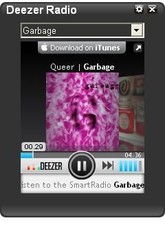
Deezer Radio Player
Plays Deezer online radio stations (WebRadios and SmartRadios)
Description
With
Deezer Radio Player
you can enjoy streaming music from Deezer: 31 radio stations are available. Now it is also available a customizable list of SmartRadios (music related to a specific artist).
Adding a new SmartRadio
Simply go to deezer.com/en/widget, do an Artist search, look for the
sid=XXXX
parameter in the code box. XXXX is the Artist Number that can be added in the widget customizable list.
Configuration options:
default radio station (SmartRadio or WebRadio)
list of SmartRadios (single add and multiple delete)
Radio stations:
ççç2òòò
^^^charts,hits,film/tv,tv,covers,dancefloor,electro,trip hop,pop,pop folk,indie pop,jazz vocal,blues,classic rock,rock,hard,metal,punk,reggae ska dub,disco,funk,soul,r&b,rap,rap français,urban style,chanson française,nouvelle scène,variété française,classic instrumental,classic vocal£££
°°°107,71,28,63,41,18,6,72,16,39,13,15,65,27,10,17,22,31,108,25,21,19,33,20,23,64,12,7,11,117,116§§§
version 1.6
New feature: SmartRadios. Added 3 new WebRadios.
version 1.5
The list of available radio stations now automatically updates every 10 days
version 1.4
Deezer changed the embeddable Flash Player, colour customization is no longer available, there are now 40 radio stations, including Tops UK, Tops US, Tops Germany, Tops France
version 1.3
Added 10 new radio stations: pub/tv, tops, post rock, celtique, urban style, hits, trip hop, dub, ska, blues
version 1.2
Added 3 new radio stations: nu metal, pop folk, covers.
The widget automatically checks for updates every 10 days (by reading information from this web page).
version 1.1
Fixed DOM manipulation exceptions in Opera 9.2x concerning
button
elements.
Fixed DOM manipulation of
checkbox input
elements.
version 1.0
First release
Tested on Opera 11 (Windows and Linux, Kde and Gnome)
Screenshots

Comments (20 on the original page, latest shown)
Download
Works with Opera 9 to Opera 12.
About this widget
| Downloads | 368,385 |
|---|---|
| Category | Radio and Music |
| Version | 1.6 |
| Size | 38KB |
| Last update | May 26, 2011 |
| Devices | desktop |
| Original page | Internet Archive |
Sorry, I forgot to mention that I'm using Opera 10 stable release. Also the song titles are difficult to read, too.
I'm using Opera 10 and its works fine Great widget!
Loading... loading... loading... NOTHING! Opera10 Linux
radio and music
Some stations doesn't work. Please correct.. And fonts are a little bit unreadable.
Radio station now automatically updates every 10 days (version 1.5 of the widget) Fonts are provided by the Deezer Flash audio player, sorry.
кул, только нихуя не понятно
Транслит дайте!!!!
:ржу Какой те транслит ) Русский нужен ) Купи словарь
:ржу Мсвс - гандон!!! Знайте и бойтесь, америкосы!! :ржу
Дааааа, точно.. место обитания - сортир
План для работы - мойка головы :ржу
best music widget!
This widget is great! The diversity of stations is very enjoyable, and the playlists are dynamic! My only problem at this point is the scrolling text which display the song title and artist.. I get very irritated trying to read it. Perhaps a static string for this?... :/ Cheers.
very good widget, pretty easy to use also.
NIce
Doesn't this widget work with Opera 11 alpha @ Linux/Gnome? Generally deezer and flash work :/ Any ideas how to fix it?
I tried it on the latest Ubuntu Linux and it works.
loading loadinbg .......
nice widget