
Add-ons › Widgets › Fun and Games

Flashcards
Flashcards that remember what you forget.
Description
About Flashcards
Originally based on Konrad Lawson's
JSFlash
, this flashcard widget allows you to learn or test your existing knowledge in a familiar question and answer format. The flashcards themselves are stored in
JSON
format so it should be easy to add any language or subject. Norwegian (Bokmål), world capitals, chemical elements and opera (music) are included to start you off.
Daniel Davis
Using Flashcards
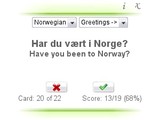
Select a language/subject from the drop down lists and the first card should appear.
Think of the answer and click the "lightbulb" button to see if you were right.
If your answer was correct, click "tick" otherwise click "cross". The next card should then appear.
Keep doing this until you've seen all the cards. The widget remembers which cards you got wrong and shows you them again until you get all correct.
When you've answered everything correctly you can either click the "restart" button to go through the same cards again or select a new language/subject. Good luck!
Screenshots
Comments (5 on the original page, latest shown)
Download
This file has not been recovered yet. Do you have a copy? Tell us.
About this widget
| Downloads | 4,513 |
|---|---|
| Category | Fun and Games |
| Version | 1.1 |
| Size | 20KB |
| Last update | October 9, 2008 |
| Devices | desktop |
| Original page | Internet Archive |
Hei! Takk du. Nice widget. I like how it reviews the ones that were incorrect. I noticed that pressing space marks the current as correct and moves to the next item. Are there other keyboard shortcuts? It'd be nice to be able to use this with one hand from the keyboard. Mousing gets tiring for long lists of items.
nice widget
I agree that would be a good improvement. I'd have to be careful that it doesn't conflict with keyboard shortcuts that Opera already uses. I'll try to look into this when I get time.
Hi, Daniel! Excellent widget, thanks a lot! I installed it on an Archos (605 Wi Fi) and it runs very smooth. I have some suggestions if you are open to them: - For this small-screen device a fullscreen version would be awesome: http://dev.opera.com/articles/view/cross-device-development-techniques-for/#layout-fullscreen - Additionally, being able to pass the flashcards with the the left/right arrows keys and to choose correct/incorrect with the up/down arrows keys would also be an amazing improvement (keyboard shortcuts) I constantly use flashcards to study and if can get this utility to work with different subjects, I will not need to carry countless loads of paper flashcards. As you may be aware (or not) Archos is not famous for offering a great deal of widgets or SW support and I still refuse to give my vote to the Apple monopoly so, I'm pretty excited about your creation. Thus, my question: I understand the cards follow a JSON format but, for those of us non-programmers, how can we create new cards? How do we add them to the utility? Can we add pictures, too (like the skeletal system, for instance)? Thank you in advance for your reply!
Thanks! I learned to count in Norwegian, just by playing around with the Flashcards. I encourage people to download the stop watch to see how long you take to go through a set. http://widgets.opera.com/widget/9482/1.1/