

Generic spreadsheet Charts
Description
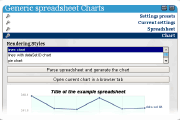
This widget is a generic spreadsheet parser using
Opera's graph library
. It comes with presets for CSV, TSV, ACII art table. The user can create and save his/her own presets by typing the value and lines separators.
1.0.1:
- fixed the 'Open current chart in a browser tab' feature.
- added window.resizeTo() to be KDE and Gnome friendly.
Screenshots
Comments (9 on the original page, latest shown)
Download
This file has not been recovered yet. Do you have a copy? Tell us.
About this widget
| Downloads | 12,316 |
|---|---|
| Category | Science |
| Version | 1.0 |
| Size | 91KB |
| Last update | November 16, 2006 |
| Devices | desktop |
| Original page | Internet Archive |
Inspiring!
Thanks. And it's actually useful. The other day somebody at work wanted to generate various charts out of some data in a weird text format. Creating all the charts he wanted took just a few minutes using the widget.
I never got "Open current chart in browser window" to work...
Please resize the widget when you need to instead of having a big default size. KDE and Gnome are designed not to let chromeless windows like widgets be moved outside the workspace, so I can't really move the widget much
I made this widget early this summer. It worked at the time. Honest. I'll fix those issues ASAP.
Super cool! Very nicely done
Thanks matey.
It is a really good widget, but took me a while to understand it fully. So a couple of feature requests: - A Wizard: - select data format - enter/paste data - choose chart - Color picker for the graphs You can do it!
Thanks. - a wizard That might be a bit tricky but it that approach might more practical than X pages of help on the back side of the widget. - select data format Isn't it already covered by the 'Settings Presets' ? Note that the settings for the most common types of text based spreadsheets ( CSV, TSV, Ascii art ) are there by default. - enter/paste data The 'Spreadsheet' is a textarea. You can paste/enter whatever you want in there. - choose chart Do you mean the type of chart, as in 'Chart > Rendering Styles' ?