
Add-ons › Widgets › Search tools

Google Inside
Description
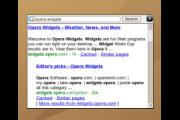
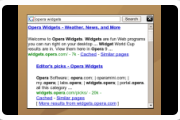
You have seen many google search widgets so far. Now I guess this one is unique because it displays results in widget =D
It's simple. Just put your search keywords and click on Search or press Enter. Clicking on the Google icon minimizes it.
Enjoy. =)
Screenshots
Comments (9 on the original page, latest shown)
Download
Works with Opera 9 to Opera 12.
About this widget
| Downloads | 6,204 |
|---|---|
| Category | Search tools |
| Version | 1.0 |
| Size | 12KB |
| Last update | January 7, 2007 |
| Devices | desktop |
| Original page | Internet Archive |
Very very nice, one big BUT though...Most browsers have Google search built in...
yeah... but do they allow google searching on desktop?
This widget does what it says it does, and that's it. Personnally I prefer Opera's search bar.
Opera already has this built-in, and does it better.
I hate Opera's built-in search bar
If you don't like search bar, you can use shortcuts for searches, try typing "g opera" in addres bar.
i know that too. but again, do they support searching on desktop?
You hate Opera's built-in search bar, I hate "Google Inside widget"!!! By the way, I hate searching on desktop too!!
hi i downloaded this widget - thought it would be very useful...but when i typed in something to search for, nothing appeared in the box. (it stayed blank). i tried downloading the widget again...but it still didn't work. Is there some trick to this? (embarrassed user)