
Add-ons › Widgets › Search tools

GSearch_deu
Description
(Version 0.36 Deutsch- no more updates. Please use "GSearch") Search-widget for multiple engines:
- Google.com
- Wikipedia.com
- Yahoo.com
- Ebay.com
Enhanced with 6 aero-skins! Colors to choose from:
- blue, green, red, black, white and grey style!
Screenshots
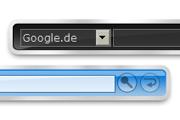
Comments (12 on the original page, latest shown)
Download
Works with Opera 9 to Opera 12.
About this widget
| Downloads | 7,463 |
|---|---|
| Category | Search tools |
| Version | 1.36 |
| Size | 5KB |
| Last update | February 9, 2006 |
| Devices | desktop |
| Original page | Internet Archive |
Changes 0.3 -> 0.3a - Added Search for eBay.de Changes 0.1 -> 0.3 - Added multiple Search: Google.de, Wikipedia.de, Yahoo.com, Heise News - Added Skins: Blue, Red, Green, Grey, Black, White
How do you select the different colors? I was looking for the normal 'arrow' to open a flipside with options.
Yeah, thats right! in order to keep the widget clean and small, you will only see the arrow while you are short below the widget (point your mouse under it!). then the arrow will appear at the right bottom and will disappear when the mouse moves back on the widget!
The way you can change the skin is far from intuitive. Also I think the widget would look much better if not all elements would be coloured.
There will be an update next week, which should improve the widget. the way of changing the skin will be more intuitive then.
Changes 0.3a -> 0.36 - Improved Design (Aero-Style with transparency!) - Flipbutton easier to find (directly on the widget) - Better visibility of the input-fields (less colorful) - Keeps the color after Opera-reload
Good job. It has really improved since the first version. Perhaps an english version?
Thank you! Yes, this will be the next step At first a german (with .de-searches) and an option to change the language (with .com-search). Perhaps other languages after this. I think this will still last a few days.
I'm sorry, but I really have no idea how to install any widget.. Can u help me? Pleeease
for sure ^^ ..at first, get the latest Opera 9 release (not 8.x!), after this, come back to this page und simply click on "Download Widget". After accepting the installation, the widget should appear on the screen. If not, try to find some help in the forum
Changes 0.36 -> 0.36 - Complete german edition - Easier configuration
Notice: There will be no more updates of this version. Please use GSearch! Supporting three languages (english, german, french).