
Add-ons › Widgets › Time and Date

Humanclock
Display photographs featuring the current time of day.
Description
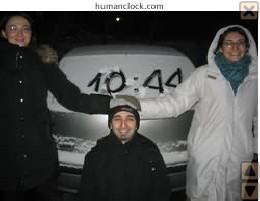
Say goodbye to boring clocks! The humanclock.com Web site has amassed a fun collection of photographs submitted by people around the world and prominently featuring the time of day, often in a creative manner. The Humanclock widget provides a convenient interface to humanclock.com's photograph collection by letting you put the time-of-day photographs directly on your desktop and display them in any of three sizes. The widget automatically detects your computer's time and time zone and every minute on the minute downloads a new photograph featuring the current time.
Screenshots
Comments (20 on the original page, latest shown)
Download
This file has not been recovered yet. Do you have a copy? Tell us.
About this widget
| Downloads | 43,666 |
|---|---|
| Category | Time and Date |
| Version | 1.1 |
| Size | 9KB |
| Last update | December 9, 2007 |
| Devices | desktop |
| Original page | Internet Archive |
My timezone is not set correctly
Oh no! Is the timezone set correctly on your computer? The widget uses JavaScript to query Opera for the timezone (using "new Date().getTimezoneOffset() / -60.0") and simply forwards that to humanclock.com. I can't think of why that wouldn't work, but if anyone reading this has any suggestions, please post them here.
Hmmm, Yes it is set correctly... I wonder if it because I am running the 9.5 beta?
This is a great idea! It's brilliant! Bravo! ... Why don't you write to the administrators of humanclock.com and get them to link to this widget?
I can see I am just on time. I like this widget.
Salve! and Jadd : Glad you like it! Why don't you write to the administrators of humanclock.com and get them to link to this widget? I wrote to the humanclock.com guy as soon as I submitted the widget to Opera. His response was positive but noncommittal. Maybe if more people wrote to him he'd be more likely to include the magic widget-linking code:
I don't know Java, but should the following be used instead of the method you are using?- (Calendar.get(Calendar.ZONE_OFFSET) + Calendar.get(Calendar.DST_OFFSET)) / (60 * 1000);
I don't know Java, but should the following be used instead of the method you are using?- (Calendar.get(Calendar.ZONE_OFFSET) + Calendar.get(Calendar.DST_OFFSET)) / (60 * 1000); I believe Calendar exists only on Java, not JavaScript. (The Humanclock widget uses exclusively JavaScript.)
That's a great idea Very funny ! Is there only one picture for one precise time or are they several ones ?
Humph, sorry, I hadn't read that it was based on the humanclock.com website But it's still a great idea
I think you are right on calendar... Ok - this example works, it reports my correct offset, but I can't get it to work in your widget http://www.w3schools.com/jsref/tryit.asp?filename=tryjsref_gettimezoneoffset
more info: If I look in my widgets.dat file, i can see that you are getting my correct offset- "-5" It must not be setting the cookie correctly with humanclock.com.
It must not be setting the cookie correctly with humanclock.com. Possibly. If you turn on the JavaScript Console (Preferences->Advanced->Content->JavaScript options...->Open console on error), do you see any error messages when you launch/run the widget? In my widgets.dat file, I have a "cookie" key with an "hclock=..." value. Do you have that, too?
-I receive no error from the Java Console. -Yes, I have the "hclock=..." cookie
Wow, what an interesting concept
nice
))))))))))
wow, very nice and interesting pretty entertaining too...
Very nice !
))