

IridiumFlares
Description
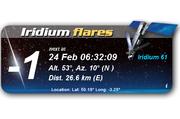
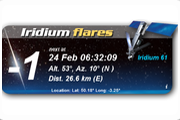
If you're interested in everyday astronomy, you will love this! Just set your location and this widget shows you the next time an Iridium satellite flares above you! And it's visible to naked eye.
Conversion of Dashboard widget from
http://www.dashboardwidgets.com/showcase/details.php?wid=1411
- all original code by
zolchew
About Iridium flares
- and get your co-ordinates
here
Screenshots
Comments (20 on the original page, latest shown)
Download
Works with Opera 9 to Opera 12.
About this widget
| Downloads | 31,798 |
|---|---|
| Category | Weather |
| Version | 1.0 |
| Size | 216KB |
| Last update | February 23, 2006 |
| Devices | desktop |
| Original page | Internet Archive |
As I understod each flare is only visible in a ~10km wide band on earth, so just selecting a major city might not be exact enough.
Nice! Love looking for flashes. What is the convention for E/W: East = negative West=positive? Or the other way around? Similarly: North=positive, South=negative? Or the other way around? There seems enough room for a list/table of the next 5 (or more) flashes. And pin the 'i' icon down!
Really nice widget, rarelly used but nice, about the latitude and longitude you can use this site http://www.geobytes.com/IpLocator.htm it will tell the location of your ip( dont know if it is accurate, but im just trying to help)
If you have google earth, you can get extremely accurate coords from that - and in the right format too
can someone tell me what brightness is visible to naked eye
Really nice! 5 stars!
to ankitunlimited: actually I set the magnitude limit to zero for my city's condition. Human eyes can reach up to 6.5 under *ideal* conditions but it's obviously unrealistic for an Ir-flare observer
Hm, seems to ignore the minimum brightness setting. I've set it to -1 and it doesn't show me the flares displayed in heavens-above.com, only the very bright ones. It would be nice to have a _list_ of upcoming flares, not only the next one. Otherwise: good work.
There seems to be a bug with the time display. It's 23:52 at the moment I'm writing this. The widget shows the next flare at 23:16 so I thought I had the wrong time settings. I changed from GMT+2 to GMT+3 and the widget says 01:16 so I changed to GMT+1 and the widget is showing 23:16. GMT+0 and it shows 21:16. Very confusing. I reloaded the program and tried several times but it's always the same behavior.
Really nice widget this, love astronomy and this works well on my PC which is only a 700mhz Dell with 512mb SDRAM. Thanks for a really useful widget.
This is the most AWESOME widget I've downloaded thus far. Seriously. I check for Iridium flares all the time, and this is going to make it much easier. EDIT: Hmmm....I'm very familiar with Heavens-Above, and according to their site, there are quite a few flares in the next 24 hours....none of which match what this widget says is the next flare. The widget says Iridium 41 on July 12 @ 7:41am, Heavens-Above says Iridium 41 isn't due until July 15 at 10:00pm. How does the widget take into account N/S latitude and E/W longitude? I'm at 36.16N x 115.035W (Las Vegas NV). See if you can make the widget match Heavens-Above. Thanks for working on this!
This is exactly what I've been waiting for. I can´t wait so see whether it works tonight. By the way. To those of you are looking for your locacation's coordinates, Google Earth is also an alternative. Find your house, garden or other preferred viewing site on Google Earth, place the mouse pointer over it, and note the coordinates shown at the bottom of the screen.
Nice widget. I have been using heaven's above for a few years now. Your times and azimuths never match heaven's above. Sometimes they are close but never the same. My location is the same for each to the 4 decimal place. And sometimes heaven's above has flares the you don't have a vice versa. Just wondering what the difference is.
I just downloaded your widget and gee no way to set my location. What kind of a widget is this anyway??? I tried everything to reset the lat and long. to no avail. What gives? I think it stinks. David S.
Sorry for any problems - I didn't write the original code for this widget, and am completely unqualified to check the trigonometry, I only did the conversion as a request, and am unlikely to ever update it.
I just installed the widget and put in the coord's and it works fine. The times and altitude/azimuth were only off by a few secs and a degree compared to the Heaven-Above figures. There should be better instructions with this. When you're inputing your location, take the lat/lng of your location off Google Earth and type the degrees and minutes as decimals without converting. ex. 20d55'20.05"N, 70d10'25.26" would convert to 20.55 and 70.10. Altitude is also there too, just divide your altitude in feet by 3 to get metres.
Interesting as I just started to learn astronomy. Thanks
No xydean, decimal coordinates mean 30 minutes = .5 degrees. Eg 65d45'17" rounds to 65.75 degrees (since 45 minutes is 3/4 of a degree). Also, degrees South or West are entered as negative degrees. For your example of 20d55'20"N, 70d10'25"W comes out to 20.922 latitude, -70.171 longitude.
interesting, great work and nice widget!
good stuff!