
Add-ons › Widgets › Radio and Music
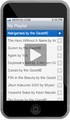
Mixpod Custom Player
How to do a Mixpod Custom Player
Description
Initially i didn't want to do this, but, i´m boring and somebody ask me to do it, so..... here are the steps xD:
1. Download the widget
2. Change the extension for .zip and extract
3. Open the file config.xml (with any text editor) and change this settings:
4. Open index.html and edit this settings:
####### is your mixpod id
5. Add all files to zip (has to be zip) and change extension to wgt
6. Drag to opera
7. That's all
PD. I´m not english native speaker, so... if you don´t understand me, i don´t care xDDD
Screenshots
Download
This file has not been recovered yet. Do you have a copy? Tell us.
About this widget
| Downloads | 41,201 |
|---|---|
| Category | Radio and Music |
| Version | 1.0 |
| Size | 42KB |
| Last update | September 25, 2009 |
| Devices | desktop |
| Original page | Internet Archive |