

MyCamera
Webcam with web remote control (release 1.1.0)
Description
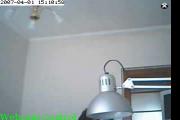
This widget shows a webcam with remote control capability through the web browser. It is possible to move the webcam left/right and up/down (pan and tilt). In order to move the webcam, just click on the "Webcam Control" in the bottom-left area of the widget. A small popup window will open with the left/right/up/down commands.
I developed this motorized webcam system, based on an open source project hosted on SourceForge:
http://sourceforge.net/projects/openwebservo
The purpose of this widget is to show the motorized webcam in action. You can remotely move the webcam and explore the nearby environment.
At this moment this webcam is installed in my studio (laboratory), so people can connect and explore it.
The new version (1.1.0) released on April 9, 2007 has an improved control of the webcam movement. There are four control buttons (left, right, up, down) directly on the image. So no popup window will be opened.
NEWS
I built a web remote control for turning on/off a lamp in my lab. So you can turn on the light, if it is dark.
If you want to try it, go here:
http://dimingo.homelinux.com:8080/zsocket
NEWS
I added a temperature sensor inside my laboratory, so you can check what is the temperature in my laboratory.
Go here with your web browser:
http://dimingo.homelinux.com:8080/sod
Then click on "Get Temperature" and you see the the current temperature in Celsius degrees.
Screenshots
Comments (20 on the original page, latest shown)
Download
Works with Opera 9 to Opera 12.
About this widget
| Downloads | 229,841 |
|---|---|
| Category | Webcams |
| Version | 1.2 |
| Size | 13KB |
| Last update | October 11, 2007 |
| Devices | desktop |
| Original page | Internet Archive |
All versions
- Widget_MyCamera_6455-1.2.wgt 8.2 KB
In that case, the camera will receive and execute all the commands in a smooth way, as it is receiving from a single user. This is because, there is one (and only one) servlet listening on the requests and the position state is stored inside that servlet. So there will not be a "jump" effect on the camera, due to separate and uncorrelated objects, maintaining the position information. I also implemented a page with a web form for each logged user. In that case, there is "jump" effect, because there is an object storing the position information for each logged user. That page was used in the version 1.0.0 of the widget, but it was very unconvenient.
I see you! I see you! Did you see me wave at you?
ahahahah... how can I see you ? You should have a similar widget !!!! Then we can exchange the widgets and see each other through them.
is that ur webcam?
Yes, it is. I built this system by myself. If you want one of these motorized webcams, let me know.
still wish it was on 24/7
Hey dude, just saw you working away at pc... great work on this webcam.
I built a web remote control for turning on/off a lamp in my lab. So you can turn on the light, if it is dark. If you want to try it, go here: http://dimingo.homelinux.com:8080/zsocket
I see you lab but I don't see you. Where are you?
It should be even more fun if we can talk to each others!
It is not clear enough, by the way, where do u buy your camera batteries? http://www.battery-store.co.uk ?
When I clicked on the link for the light switch, it came up with an error. Please Tell Me Why.
D: How the hell did you do that?...i want one XD.
coool
hi to super genious pino_otto!!! u said as using ur mycamera widget that we can use it to view with my friends or others. so tell me how to enable that one? tnx and more power!
WOW. Where did you get the design from? is the camera wireless? What system do you use? I see a big white block, with an info label, but our monitor sucks. The camera looks interesting, like an observation robot, a head, a body, and a box with 2 wheels. HEH, I just now saw the monsters INC. thing. What type of work do you do?
Poorly written, I copied the Profile folder from a localized Windows to an English system and this widget keeps creating it's own folder under the original Opera file structure, even if the widget itself has been removed. Please tell me HOW TO REMOVE this path creating shit!!!
interesting idea... i'll try to copy you!
you need to have multi camera functions, zoom and picture in picture.. :\
hey it does not work for me black screen ??