
Add-ons › Widgets › Time and Date

OOrganizer (beta2)
Opera Organizer widget
Description
Add, edit and manage your time by OOrganizer widget
What's new in beta 2:
to-do list
What's new in beta 1:
handling repeated events while dragging and resizing
timezones support
settings dialogs
sortable calendars list
improved sync with Google calendar - auto updates
How to import calendar by url:
Go to
http://icalshare.com/
website and choose some calendar e.g.
http://icalshare.com/calendars/7
Right click on 'Subscribe to Calendar' button and choose 'Copy Link Adress'
Open OOrganizer and choose Calendars -> Import calendar -> Import by URL
Paste copied link into text field and click 'Import' button
Beta version.
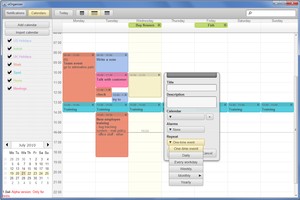
Screenshots

Comments (20 on the original page, latest shown)
Download
Works with Opera 9 to Opera 12.
About this widget
| Downloads | 113,257 |
|---|---|
| Category | Time and Date |
| Version | 1.5 |
| Size | 891KB |
| Last update | February 14, 2011 |
| Devices | desktop |
| Original page | Internet Archive |
pretty good my only gripe is that the only view where you can succesfully view all your events is the "grid view" (im guessing) the third button from "today" in the widget. Other views dont show you anything. but overall 4/5
Beautiful design, very nice and easy use. Good stuff!!!
could you plz add an option tosync with a blackberry?
hmmmmm... Pretty GUI... Thank u for "Gaza"
I have waited a long time for widget like this ! This one is not perfect yet but I hope it is cause because it is still only beta version.
New to opera so my question may be 'simple', but how do I print this calendar.
How do you uninstall this widget? I keep getting 'widget is open'. I try to close it but it makes no different. Can't remove it from the window control panel.
things that would be useful: ability to set duration when adding an event (in dialog when adding event) more options for alarm notification time (in dialog when adding event) more obvious event notification when event is due (if you miss the pop up notification at the bottom right, you could miss the event) - a nice popup window would be better, so that you have to interact with the dialog to confirm you have seen the notification (thunderbird with cal extension does this very well, so you can't miss an event) you can't change an event duration when in month view (see earlier point about setting the duration) ability to change colour scheme.
It's great ! Thank you
need more functionality: setting event begin and end time and date, changing calendars colors, hiding calendars' events from list without removing calendars, etc.
Finally, a bi-directional Google Calendar sync widget. That's good. Apparently no choice to sync "forever," so it only syncs the last 60 days or so. I need my entire calendar history, going back to 2003. ALSO - and this is important, if you place a new event on the widget calendar which starts before the current moment, it apparently won't sync to Google. Older than current time events on Google will sync to the widget, but not vice-versa - only future events. That needs to be fixed. However, excellent progress. I figure bi-directional syncable standalone calendars (which don't need MS Office) must be nearly impossible to code, because this is the ONLY ONE I have ever seen for Google and Windows which is free, fast, easy to open, and not a total resource hog - and I have been looking intently for three years. Closest prior to this was LIghtning, which is slow and cumbersome to open, and needs Thunderbird (with all its mail accounts) open to work at all. Then there's Google sidebar calendar which has to open a browser, and the now-discontinued Calgoo, which uses RAM like there's no tomorrow. I look forward to refinements of Oorganizer.
- copy and paste event option missing - day numbers under day names missing - why 30 minutes interval points for event start/end? Could be at least 5 or 10 min. - what is the purpose of uncheching one calendar if it is still displayed (even if dimmed)?
btw - whose idea was to set default width to 1200? its horrible idea as users with 1024x768 resolution (still very popular) will have real problems, at 1240x1024 it is still not very pleasant to use. any way to make it remember the size? additional - direction of the dropdown menu in event-type is changed if there is not enougth space (so it opens "up" instead "down" shoudl be same for the date in "repeat until" as if the window is smaller it get "out of view"
This is great!
I love it!!! would be happy if you added ability to set specific time i.e 12:15 etc. Really smooth working widget. Thanks for the effort!
One more thing, printing option, in landscape, will be awesome. Cheers for the effort.
Installed this and uninstalled Beta1 - had to move my data and config files to the new install, so as not to lose old calendar data (since this app only syncs back just so far...) Now unless I click on the app in a calendar or date location, no events will be shown. The calendar is blank until I click on it.
Two problems I've noted 1. When there are birthdays(I set them on repeat every year) they aren't well imported. He puts that on monthly, so now I'f got a lot of party's every month 2. After importing from google two day events become one, and I cant plan two day events on the calendar self
what's the meaning of the " integration with M2 "? an integrated calendar
this is a really good widget, but when will it be next updated?