
Add-ons › Widgets › Fun and Games

Password Manager
Description
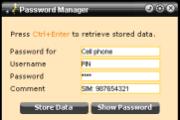
Stores and manages passwords using Opera's built-in Wand. Enables you to keep all your passwords in a single place.
For all those passwords that are not web-site related, such as application logins, cell phone PINs, front door access codes and more.
Screenshots
Comments (20 on the original page, latest shown)
Download
This file has not been recovered yet. Do you have a copy? Tell us.
About this widget
| Downloads | 21,347 |
|---|---|
| Category | Fun and Games |
| Version | 1.1 |
| Size | 44KB |
| Last update | May 21, 2007 |
| Devices | desktop |
| Original page | Internet Archive |
Hi, i would like to make translations to slovak language for your widgets. You can send me mail to someone24.sk if you want.
jaso: If you want to translate this widget into Slovak, I would be very happy. The widget doesn't have a language interface yet, so for now just translating all the text will suffice. Once I have a translation, I will add the option for users to choose language. Just message me the translation once it is done.
how do you change pass words and how do you put wand on your tool bar
Entries cannot be changed once committed, but you can always add a new entry and delete the old one. For an entry to qualify as a new one, at least one of the visible fields must be changed. To put wand on the toolbar, right click it and choose customize. Then drag and drop the buttons you want.
Its a great widget.. not tested yet.. but i have no doubts that its gonna help me manage my passwords. Thank u...
Ctrl+Enter doesn't work on Mac? The whole Widget doesn't work on Mac? I have 22 passwords stored in Wand but I can't use this widget.
Dasch: Good point. Could you confirm that it Cmd+Enter works on a Mac, and I'll change the wording for Mac Users?
Clever widget! A few remarks, though: * After using Ctrl+Enter, the Wand is disabled, I have to reload (F5) the widget to be able to press Ctrl+Enter again. * Is it necessary to have the Show Password button? Is it possible to have the password shown automatically? * It would be nice if I could select the shown password to copy it with Ctrl+C. Clicking on the text now moves the whole widget around.
Can anyone tell me how to backup the information in the Password Manager Widget please. I know how to backup Wand.
Scipio: * Ctrl+Enter works for me, both the first time and the second time. Which OS are you using, and do you have a single, or more passwords stored? If there is only one entry stored, pressing Ctrl+Enter again will not have any effect. * I find that I often only want to know which username I have for a particular login, and don't need the password in clear text. To avoid accidental exposure of the clear text password it is disabled. It would of course be possible to add a configurable option for it, but I personally don't see the need. * Double-click the password to copy it. John164: The Password Manager Widget uses Wand to store passwords, so if you back up Wand, you will back up the data in the widget as well. Note that if you make the passwords available to one widget only, you will need to back up the widget as well, otherwise you will not be able to retrieve the passwords by installing a new widget.
Originally posted by sigbjorn: Ctrl+Enter works for me, both the first time and the second time. Which OS are you using, and do you have a single, or more passwords stored? If there is only one entry stored, pressing Ctrl+Enter again will not have any effect. I use WinXP SP2. I currently have two passwords stored (for testing purposes). It seems that CTRL+Enter keeps working if I use it multiple times, I guess I was confused because the yellow borders of the input fields disappear after the first time. Double-click the password to copy it. That works, but that only works if you have the option to show the context menu on double-click enabled. I thought there was something in the widgets specification that allows you to set elements on which clicking doesn't automaticalle enable dragging.
Can you show a quick "how to" for this widget? How do you recall the data on a site that has already a passwork in wand? I tried Cntl-Enter and it doesn't call up the ID and Password. If I start fresh to a site, will I type the ID/Password at the server and at the widget? Sorry it is not clear what is the purpose of this widget because I cannot seem to open anything using Opera 9.2 and Vista.
LastQuark: This widget enables you to store passwords that are not related to Web pages. It does not allow you to view any passwords not stored through the widget. This widget is not required, nor useful for using the Wand for regular Web pages.
Super widżet!
well, please tell me some instructions for using-syntax at "Password for"-field, Thank You!
The "Password for" field is a free text field where you can type what the password is used for, and it does not have any syntax restrictions. Examples might be "Cell phone", "Garage door" or "Sport membership card".
PLEASE HELP! I have phpMyAdmin site that I NEED opera to remember logins It worked but some day i clicked the Never button Now I tested on other site to remove all logins and then this one add new and it asked again that save ? BUT not in this PHPMYadmin site! AARGGH!!! How to make opera on that site to ask to save the passwords again????
Oh. there somehow was still one info left and opera had to be closed after deleting all entries. now it works and asks password save again. So delete all saved passwords and restart opera
I know I must be doing something wrong, but I can't figure it out. I have entered 4 passwords (2 with Usernames and 2 without), but cannot retrieve them with Ctrl + Enter. Nothing happens. They do not show up in the Password Manager either (if I understood rightly, I believe they should). I am running Windows XP SP3. Any help would be appreciated. Thnx GR
I don't what I did, but all is OK now and I can retrieve what I put it with Ctrl + Enter. I misunderstood the Password Manager. I thought it was the Password Manager in Opera, but I now see that the widget has it own. Sorry for the confusion - all of it on my part!!!