
Add-ons › Widgets › Miscellaneous

Post It notes
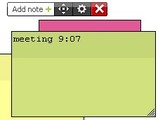
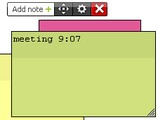
Add multiple notes
Description
You can add multiple stickers with notes
All notes (text, color, size and place) are automatically saved, so after restart, you will see your notes again
Screenshots
Comments (9 on the original page, latest shown)
Download
Works with Opera 9 to Opera 12.
About this widget
| Downloads | 21,192 |
|---|---|
| Category | Miscellaneous |
| Version | 2.0 |
| Size | 18KB |
| Last update | March 3, 2010 |
| Devices | desktop |
| Original page | Internet Archive |
Wow, what a nice, elegant widget! Thanks!
useful and cool ! 使わせてもらいます!
This is a really useful widget. One of the few that I actually use on a regular basis. Thanks. The one feature I would like to see is a setting to change the default font for notes.
Thanks a lot for making this widget. I use it at work with VirtuaWin having a virtual desktop full of post its with various notes - this is exactly what I need.
Very nice. Some useful feature suggestions: 1) "Hide/Show All Notes" - This would hide (not just minimize) all notes. If hidden, it would show them. Activated from the main controller or any tab. 2) Integration with the Opera Notes function (if possible), including folder functionality: Navigation would include one separate expandable/collapsible outline of Folders and Notes which always appears when the notes are not hidden. Clicking on a folder within the navigator will open all notes within that folder and also show any sub folders, each displayed with a dog-eared corner. (Note that only one level would be displayed at a time as in Windows Explorer.) Double clicking on a Folder-note (not the corresponding navigator folder) will drill down as expected, opening the that folder's content. Colors and positions could be retained by encoding them within the message as [clr:rrggbb, x:dddd, y:dddd]. Missing or badly encoded info will revert to a default.
on my system it is not possible to move the notes to my secondary monitor
I love this widget, but I just got bit by the second monitor problem too. I had a number of post its and drug them all, including the main widget window to my second screen. I found that there was no way to ever get them back. I ended up having to delete the widget and re-download it.
I simply love the design of this widget! Thank you!
Great! I love it!