
Add-ons › Widgets › Web Developer

ProxyWidget
Description
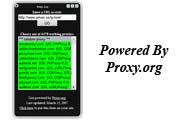
ProxyWidget makes use of the form provided by proxy.org that allows you to navigate anonymously on the internet through the so-called cgi-proxies. Enjoy.
EDIT: The layout has been corrected!
EDIT2: After all it seems the layout as not been totally corrected... Try this new version and report any problem. Skin updated. Added close button.
Screenshots
Comments (20 on the original page, latest shown)
Download
Works with Opera 9 to Opera 12.
About this widget
| Downloads | 184,467 |
|---|---|
| Category | Web Developer |
| Version | 1.2 |
| Size | 92KB |
| Last update | November 4, 2006 |
| Devices | desktop |
| Original page | Internet Archive |
when using it on one of the clients in a lan, to what extent can the network administrator screen/block.monitor your browsing?
ah this is great!! first thing in in web design tomorrow at school is going to download this, supid school blocks facebook and myspace..
ah this is great!! first thing in in web design tomorrow at school is going to download this, supid school blocks facebook and myspace..
Doesn't work...I downloaded it and all I got was a black box...
Install widget ... black box only. 1)Download file . 2)Place it into the arc. Repace link in [index.html]. Great tool!
I like it , It's usefull for me , Thanks you H4er
very useful widget. Thanx!
i like it, realy useful
good tool
how this proxy widget works? please help me.
this is a best widget
hiiii
how can i use this tool
how this proxy widget works? please help me.
how this proxy widget works? please help me.
It's pretty self explanatory. You type in the url of the website you want to go to and click on one of the proxies in green. You are then taken to that website but you should be under a different IP address. Test it with whatismyip.com and see how your IP address changes. Could be useful for blocked sites and well, use your imagination! This widget is still working for my Opera v9.64 even though it hasn't been updated for a long time.
Apparently it only works on limited sites, more popular sites you'll have to pay to access.
I'm having a problem after installing this widget to where my ip address is always saying I am in Norway, but I am not. I used a site from Norway the first time I used this program, but even after uninstalling and reinstalling both this widget and Opera it still remains an issue...any suggestions? Thanks
THANK YOUUUU at first whenever i go to google, it said Welcome to Nginx! i didn't know wtf knginx was but then found this, ty again now i can go to google and runescape
This Widget is out dated. it doesn't even work, when I run it just a window comes up and nothing happens, I can't configure it, clicking on it won't work. Anyone has tested this on Ubuntu 10.04? I couldn't get it to work, if you have let me know how. thanks