
Add-ons › Widgets › Search tools

Reference.com
Description
Reference.com
search tool.
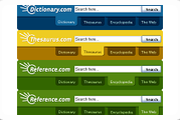
This widget allows you to search through the
Reference.com
website which includes:
-
Dictionary.com
-
Thesaurus.com
-
Encyclopedia search
-
Web search
More releases and upgrades are on the way.
If you have any other feature suggestions or requests please post them here. However, if you are going to score this widget, please do not score poorly due to the future features not being present yet. They are still in the process. So if you score it, please score fairly.
...Thanks!
So for now...Enjoy
Changelog:
-1.11 (6/19/07)
Config settings are now saved! You can choose to show results internally or pop out to a tab, start minimized, and also the Search tab to start on!
filesize: 68kb
-1.10 (4/7/07)
Fixed some bugs with the search results in widget! There is also a config options to set the initial tab/search to use when your open the widget, however, they are not currently saved bet
Screenshots
Comments (19 on the original page, latest shown)
Download
This file has not been recovered yet. Do you have a copy? Tell us.
About this widget
| Downloads | 11,715 |
|---|---|
| Category | Search tools |
| Version | 1.11 |
| Size | 131KB |
| Last update | September 23, 2006 |
| Devices | desktop, tv |
| Original page | Internet Archive |
Ooh, I like this. Very good Widget. Incredibly helpful for forum-goers who need to look up a word. Keep up the good work.
nice one!
Very useful, thank you very much. But can this tool show results in its own window instead opening a web page. If you add this function it would be great.
@tunayx That is already listed in the future features. I'm currently working on it. But thanks for the suggestion, haha. Maybe it won't be too much longer before I get the results working in the widget itself. If you have any more suggestions I'd love to hear them as well. @Bigphilly, AleksOD and tunayx Thanks for the positive feedback! @All Stay tuned! More updates are on their way. They have slowed down a little, but that's just because I was working out smaller things in the earlier builds. The next build should have a few new features. Cheers!
Another good one is this -> www.wordreference.com
December 2, 2006 Dartmouth, Nova Scotia This widget by kyleabaker is just plain excellent! Well done. I look forward to your next creation. Allan
This is a great widget, so first of all, THANKS! However, I am having a small problem with it: the whole thing does not display. It cuts off on the right hand side after the "e" of the "Search" button, So I also don't see the minimize and close buttons. I can still use it, but I wish I could minimize it.
@Room101 I'm not sure why it is appearing this way for you, but try deleting it and then re-downloading it. I'm sorry you've had problems with it. Glad you brought this to my attention, but I've not heard any problems with it before so I'm unable to tell exactly what the problem is. If deleting it and redownloading does not fix it please let me know. I just tested it and it seems to be working for me. I tested on 6 machines. Thanks.
Hello there, I use Dictionary.com quite a bit, and was really glad to find this incredible widget. I too however, am having the same problem that Room101 is having - the right hand side seems to be cut off. Am using version 9.2, build 8713. Thanks for a cool widget. Like Tunayx, i'd also love to have results shown in their own window.
One of the most useful widgets ever. I use Dictionary.com so very often, and this is just going to make everything so much more simple. =D
Hey everyone! Thanks for your continued support. I've just uploaded an updated version which now shows search results within the widget! It is the initial release so it could contain a bug here or that. Just send me a private message if you find something wrong. I'm still working on it, but this is just to get it out there since it is now usable.
That is genius! Thanks a lot for this one. Most useful widget I've seen. 5 stars from me.
All I can say is Wow! I use reference.com a lot because it is what I think the best reference tool out there. And now to have this handy gadget here to get at it easily is just great. I started with version 1.10, and it does everything I could want. Thanks very much!
I just uploaded an update! Config options are now saved from one session to the next. You can: -Enable/Disable Internal Results -Enable/Disable Start Minimized -Select a start up search tab! Thanks for everyone's support!
It's a nice widget, thank you very much. It does the job, but I don't really like the presentation that much.
Love it! Thanks
Very nice, I would like to make some suggestions: - Choose the "Start" tab by remembering the last selected rather than getting the user to select it from the config. - Similarly for "start minimised", only do this if it was closed minimised. - When I switch tabs there is a slight flicker, it would be nice if you could find a way to remove this effect. - Slightly bigger close/minimise/config buttons would be nice. - It is not possible to press the tab button on the keyboard to focus on the tabs to click them, this is a sever usability restriction. I assume you are using DIVs for these, if you replace them with BUTTON tags and remove the default CSS properties that come with that element (background-image:transparent; border: none;) then they will suddenly be keyboard navigatable.
Benjamin Joffe, I'll look into your suggestions, thanks!
This widget does not work for me. It always returns No Entries Found in results. I am running Windows XP and using Opera 9.5 browser - are there any special settings I should change to enable this to run properly??