

RSS Checker
This is a RSS Checker. You can register any feeds (RSS, Atom) you like, and also set the check interval.
Description
To register a feed, enter the feed URL and click the three-arrow-button below.
Don't forget to click the three-arrow-button when you update something, too.
If you don't enter the title, it will be set from the feed.
Language setting supported: English, French, Japanese (but you can add feeds in any language)
自分の好きなフィード(RSS、Atom)を設定できるRSSチェッカーです。
更新間隔もそれぞれ設定できます。
フィードの追加は、設定画面でフィードのURLを入力し、「↓↓↓」のボタンを押してください。
修正を行った場合も、「↓↓↓」ボタンを押さないと更新されないので、忘れずに。
名称(タイトル)を入力しなかった場合は、フィードから取得します。
Version 1.01:
Added the close button and Changed the config button.
Version 1.10:
Normal URLs (pages including feed link) is now acceptable.
Version 1.11:
Centering widget when it is downloaded.
Change the reload icon.
Version 1.20:
Added the scroll option and mark read all/reset.
Version 1.21:
Added the click option.
Version 1.23:
fits to Opera 10
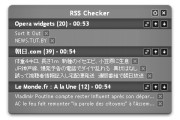
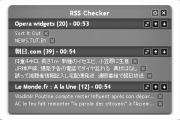
Screenshots
Comments (20 on the original page, latest shown)
Download
Works with Opera 9 to Opera 12.
About this widget
| Downloads | 131,541 |
|---|---|
| Category | News |
| Version | 1.23 |
| Size | 91KB |
| Last update | March 14, 2010 |
| Devices | desktop |
| Original page | Internet Archive |
Very nice widget and very useful (!) as the Opera-internal RSS reader gets slow and stuffed with feed content over time. However in RSS Checker I miss the short description beyond the title that some RSS feeds contain - maybe a feature for the next major version?
I really like this widget, and enjoy it more than Opera's built in feed updater by far, but have one queston. By a couple of my feeds, it displays (could not get) after the feed's title and before the amount of updates it has. It doesn't seem to affect anything, though, as those feeds still show updates just as they normally would. Is this just a graphical glitch or am I not understanding something? ~jake2k3
Well done!! Could the RSSChecker get a little bit more place for the topics = wider?!! Neue Version - Updates - Patches - SPs für Linux: Sea.... What mean this topic ?? I hope you know what I mean.
Does this work with the stablke version of 9.5? All the labels bar URl come up as undefined and i can't subscribe to anything. Opera's feed reader seems to work but not this widget. i just want the topic headings so if this is a problem for me can anyone suggest anything that does a similar job to this widget?
ohhhhh, i like it
good work
Thank You! *Much* easier for simple newstickers than Opera's reader. One wish: Option to hide title "RSS Checker"
@ csternberg, since it's the name of the widget, it's right to be displayed. But I agree that perhaps it's too big Maybe a smaller label or at least some nice logo. I love it. Much better then the default RSS-Feed-retriever in Opera. Two things: 1.Why in the options menu each and every label is marked with "undefined" ? O_O Is it only by me so? 2. I've noticed that to open the user-defined number of RSS-news' lines, you have to click once, but in order to get a full view of all RSS-news you have to click one more time to expand the RSS-board. Then in order to close the board so that all news hide, you have to click twice if you're in the second mode (full view). It'll be better and faster if you work on this. Make the menu more comfortable Like one button for full view and one button for user-defined number of rss-lines so that one can open and close full view with only one click. Hope you understand what I mean ^^ EDIT: A minimised form of the widget will be nice too. Also when the widget is at the bottom of the screen and you open the news, it opens them always downward and in this case you can't see them. A nice fix will be to make it detect remaining space and height (some JS-scripting, couple of lines - not so difficult ) and place the drop-down-news-board accordingly so that one can read rss wherever the widget is placed on the screen.
What's with all of the Undefined in the Options part of this widget in Opera 9.63?
Thank you for large font because I like to scale down this widget size using +/- buttons. However, I still think this widget is way too wide in the first place. I really do not like number of widgets because they are designed being too wide. Moreover, language options are mixed, and I had to select French to get UI in English.
Is there a way to import OPML files?
heres is a hint if you get undefined, change the language and it should be fixed. otherwise there it is from the top: language, style, font size, use scroll [yes no], url, title, number of default display, update interval (mins), mark read [all, reset, do nothing]
very useful and pretty helpful, thanks a lot!
Useful but there is a BIG bug with the language menu and with the whole GUI. Following the tip tkr1gave, I changed from English to another language. Every single time when I change the language, everything get's messed up. It's like some kind of a random rotation inside the language menu. You pick French, everything is Japanese. But next time when you pick French, everything is English. Besides restarting the widget gets us to the very beginning. All is undefined and you have to start playing with the language menu again and again.
^ I use latest stable version of Opera - 10.10, if this helps.
Hi, this widget is brilliant, just what I was looking for. However, is there an option to not remove the item when I click it to go to their page? Or would there possibly be an option in the future to not remove item? Thanks, Flamer
This is the best Opera Widget ever! Thanks for share! Could you make it resizeable in order to make it wider for a full view of the topics subjects? Or, maybe, make it show the full text of the topics subjects when the mouse pointer is placed over the desired one, instead of show the respective link of which one as it does know? Congratulations for this incredible useful (and very simple to use!) Widget!
good widget, but why I can add only 2 rss address?? -------------- upd..... sorry it's my fault. everything works fine. thanks
nice widget, but I can add only 5 blogs! I'm using Opera 11.1
Would it be possible to convert this excellent widget into an extension?