
Add-ons › Widgets › Time and Date

Simple Clock (digital)
Description
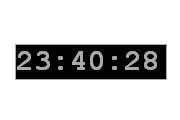
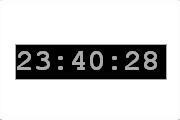
Just a simple clock widget which's skin you can change by clicking on it.
It isn't SVG but it scales pretty nice as almost no image files are used. Just the minimum size screws it up though. 50% transparency supported.
Implemented is also custom skin using (type the color name [i.e. "red"] or the hex code [i.e. #f00 or #ff0000, you can use both short or long way]) and the skin lock which locks the skin, with the skin lock on you can't change the skin from changing when you double click on the clock. This is useful when you have a custom skin and don't want accidental double clicking take your skin away
Screenshots
Comments (4 on the original page, latest shown)
Download
Works with Opera 9 to Opera 12.
About this widget
| Downloads | 16,588 |
|---|---|
| Category | Time and Date |
| Version | 1.1 |
| Size | 10KB |
| Last update | October 5, 2006 |
| Devices | desktop |
| Original page | Internet Archive |
Nice - but I have two wishes: - make the display of the seconds optional - optional transparent background
Hmmmm, this sounds like forcing me into a configuration view No problem, I'll put them in EDIT: They are now implemented including the configuration view. I also added custom skin using (type the color name [i.e. "red"] or the hex code [i.e. #f00 or #ff0000, you can use both short or long way]) and the skin lock which locks the skin, with the skin lock on you can't change the skin from changing when you double click on the clock. This is useful when you have a custom skin and don't want accidental double clicking take your skin away Thanks sommer for nice ideas!
I have a request! Can you please make it able to be in 12 hour time with am pm after or somewhere?
I'll add it soon. First I still need to think of anything else, as I don't like to release a feature on it's own.