
Add-ons › Widgets › Fun and Games

Simply-Tetris
Tetris Widget
Description
Just another, great
Tetris-Widget
.
Navigation:
left (or J),
right (or L)
down (or K) and
Return, to drop down
Rotation:
space, I or up-Key (default),
A (left) and
S (right)
six standard Token like I,J,L,O,S,T and Z
Optional: four special Token like 2,5,+ and U...
Play online:
JavaScript Tetris
Note:
The widget needs the windowfocus to play!
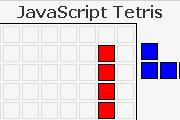
Screenshots
Comments (7 on the original page, latest shown)
Download
Works with Opera 9 to Opera 12.
About this widget
| Downloads | 15,096 |
|---|---|
| Category | Fun and Games |
| Version | 1.1 |
| Size | 5KB |
| Last update | January 3, 2007 |
| Devices | desktop |
| Original page | Internet Archive |
you should make the bricks drop at a (much) faster rate when the down key is pressed or held on, rather than just making it go down one line. Then the game will be great! Also, perhaps an option to toggle the grid on and off.
Hi, you can use the >return<-key to drop down the token. I think about your offer: grid on/off. A preview is maybe also a point... Nice Greets from Germany Micha
Hi, Now, I use onkeypress to move. I think, that is what you want, topology. The Onlineversion use onkeydown with respect to the IE. Micha
I just tested all the tetris game widgets here: Congrats! This is the best one! (^_^)v
Hi, thanks a lot! Micha
hi, quite nice one, thx. How can I pause the game? What are the meanings of "Grid on" and "Spezial"? When I tick or untick them nothing seems to change...
Hi marpos, you must re-start the game after selecting an options like "Grid on" or "Spezial". A pause-key is not implemented yet. regards Micha