

The Free Dictionary
Description
For all your literary needs!
Screenshots
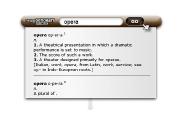
Comments (20 on the original page, latest shown)
Download
Works with Opera 9 to Opera 12.
About this widget
| Downloads | 252,044 |
|---|---|
| Category | Science |
| Version | 1.0 |
| Size | 82KB |
| Last update | February 6, 2006 |
| Devices | desktop, tv |
| Original page | Internet Archive |
Doesn't work for me either. I guess it needs an update, so I can't really judge it.
it works for me, but could you make the text definition selectable? (so i can highlight and copy the definiations?) thanks
Nice widget. However, is it necessary to click the go button? Every time I run a search and use the enter key the widget closes. The only way to get search results is to click on the go button. I maybe missing something here, but it would be nice if this could be corrected.
Great widget, Can live with the variance of ways but if you happen to improve, may the force be with you.
It's really great, and it would be more greater if the speed is faster and there's a button to fold the panel up after looking for a word.
Great widget it helps me a lot
Bug Fix Request : dictionary closes if you hit the enter key. We have to click on the go button using the mouse for the definitions to be displayed. If we hit the enter key the widget closes. Didn't had the problem in the older version. Please fix it
> Bug Fix Request: dictionary closes if you hit the enter key. +1
Very good! This must be the best dictionary search engine on the site. Thanks!!
I tried the others and this is the fastest hands down! Thanks for all your hard work. This will be a great help teaching the little one new words. Kudos! Jim
Very useful widget. Thanks
Man, English-English dictionary ^^ Thank you! Very useful
I can't see meanings of words in this widget. Now It always requires to click a link to www.thefreelibrary.com. x_x
I can't see meanings of words in this widget. Now It always requires to click a link to www.thefreelibrary.com. x_x
I don't see the definition, I have to click on the link. Maybe its just Opera 10
The widget doesn't work on Opera mobile/mini - please support it. The main claimed advantage of widgets is that they are meant to be platform-independent, especially running on mobile phones... Indeed mobile phones is a place where widgets like dictionary make the most sense - they are much more handy compared to web browsing. At the same time, almost none of the widgets on widgets.opera.com run on mobile which proves the opposite than is claimed about there purpose. Is it so hard to make widgets mobile-compatible?
I am running Opera 10. Unlike the other comments here; upon launching there are no clues that the widget is running - no screen; no icon in the task bar, no nothing. Would be handy if someone could provide some go about on this. The other widgets are working fine. I happy for the other folks who got to use this useful tool.
appt, are you sure that the widget isn't hiding behind your browser's window? Because I use Ubuntu for example and I can make my Opera be always on the top, which isn't the default situation with the widgets, so if I launch a widget, which I didn't set to be always on the top, it'll get behind my Opera. I'm using 10.10 and I don't have your problem.
Can't see any definition. For example when I wrote "need" (test-word so to speak), in the definition field it displayed: need need Clicking on the link didn't do anything. I tried many words both simple and complicated, yet no result at all. Another thing - sometimes when I write a word in the field, the whole widget disappears except the text-field where I'm writing. The widget definitely needs fixing.
I believe that this Widget needs to be updated for use with Opera 10. I am running Opera 10.10 and like the previous commenter I get the entered word returned to me as a definition. ie. "Need need " scrolling down reveals a link, "Click here to view more" and this link opens the URL Freedictionary.com/need. This crippled functionality is not very helpful...