
Add-ons › Widgets › Social Websites

Tweet Safe
Twitter OAuth client. Now no need to share your passwords.
Description
This widget uses secure communication with twitter and now with OAuth support you don't have to share your passwords.
UPDATE
:Now this widget with more features is available as application mode (standalone) for opera 10.50+ check here
http://widgets.opera.com/widget/15462/
Usage
:
Login in to twitter by clicking the 'Sign-in with twitter' button.
After authenticating with twitter successfully you will be given a pin code. Please copy the pin back to the application to proceed. This is one time process.
You can revoke the access to this widget from your twitter account->settings->connections.If you want to use this widget again then you must clear the tokens in config view and sign-in with twitter again.
Features supported
:
Recent tweets,Replies, Direct messages,Archived tweets, Favorites, Search.
Following features are available only for Desktop:
Resizing, Notifications, Custom Color, URL shortener(bitly).
change log
:
Version 1.7 : Added URL shortener,Fixed URL links and other minor bugs.
Version 1.5 : Supports Custom Color,Fixed the resize issue.
Version 1.4 : Fixed the issue with deleting tweets.
Version 1.1 : widget supports opera 10.0
Note
:Notifications(for replies or recent) are shown only when the widget is minimized
Any feedback to improve this widget would be greatly appreciated.
Important
: Press F5 or CTRL+R if you see any connection issues. See this
http://my.opera.com/community/forums/topic.dml?id=632012
Screenshots
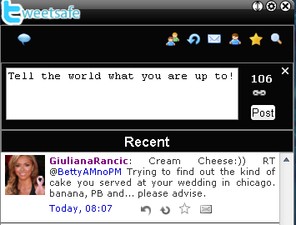
Comments (20 on the original page, latest shown)
Download
Works with Opera 9 to Opera 12.
About this widget
| Downloads | 23,794 |
|---|---|
| Category | Social Websites |
| Version | 1.7 |
| Size | 136KB |
| Last update | November 17, 2009 |
| Devices | desktop, mobile |
| Original page | Internet Archive |
Don't work for me. Preferences button don't work. When i click on the 'Sign in' button i receive this message: Unable to generate Request Token. Please try again later. Status Code: 403.
@ nom4d3br change in preferences is reflected only when you click the 'Save' button. If you click 'Clear Tokens' it will clear all the tokens and you will have to sign in again (and your preference will not be updated). The status code 403 indicates you might have reached the update limit. Please try this again and let me know if you see any issues.
hmmm... at home it works fine, but at work i have this issue. Same Opera version. Is possible to increase the time for this operation? I'm getting this error with less than 3 sec. I don't have any firewalls or proxy.
@ nom4d3br i suspect twitter.com or tweetsafeproxy.appspot.com is blocked at your work place. Can't help it if that is the case.
Looking good here! A test I always do with new Twitter clients is to see how many tweets I can get in the normal width of my Opera panel. TweetSafe gets 12 and that's as many as Twhirl - which is THE most space efficient client I've tested. So, TweetSafe and Twhirl are running neck-and-neck at the moment!
Ah, [x]Show Notifications doesn't Save correctly. It's always on.
@ brianlj Thats a bug i overlooked. Hopefully thats not a major issue with user experience.
No, hardly at all. However... clicking URL links in the tweets doesn't then open the page in Opera. Clicking hashtags in tweets does work, but clicking URLs doesn't. You get the pointy-hand cursor, but no action. Ooops!
URL links work fine in opera 9.64 but not in 10.0 . Will fix this soon.
Very Good !!
Goooood!
Like the OAuth of TweetSafe, but being unable to open a URL is a big thing to me. Also, the refresh blanks everything for a good 30 seconds.
@ LaJeCu URL links are not opening in the browser due to additional security constraints in opera 10.0. This will be fixed in the next release. Refreshing a tab depends on your internet speed (ideally it should not take more than 5 seconds. Also try setting 'refresh interval' to a bigger value and 'tweets displayed' to smaller value)
salam ali hastam az iran
появляется поле для пин-кода и хапец. резюме: фтопко.
@ askold-uaix Please read the instructions. Если вы используете автономные виджетов (опера в 10.20 +) и если опера не является браузером по умолчанию, то вам придется ждать, пока браузер, чтобы начать и аутентификации Twitter для получения PIN-кода
It works very nicely here and even managed to look good doing it too! Good work.
It works perfectly. Could to open the twitter profile in the own widget when I click on it.
Excellent. Looks good, functions well.
@ All Opera is planning to discontinue Widget development http://my.opera.com/addons/blog/2012/04/24/sunsetting-unite-and-widget Currently i have no plans to develop this as an extension and this is the end of it Thank you for using and supporting my widget.