
Add-ons › Widgets › Web Developer

Widgets Tutorial
Description
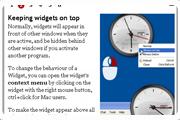
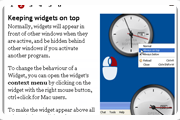
An Opera Widgets Tutorial widget.
This widget tells you about the basics of using an Opera Widget and how you can use them.
Screenshots
Comments (14 on the original page, latest shown)
Download
Works with Opera 9 to Opera 12.
About this widget
| Downloads | 134,119 |
|---|---|
| Category | Web Developer |
| Version | 1.9 |
| Size | 183KB |
| Last update | June 19, 2006 |
| Devices | desktop |
| Original page | Internet Archive |
Clean, straightforward, and covers all the basics. But you guys missed an obvious one: bundling this with Opera. :-)
Is there a way to open all widgets with a keyboard shortcut? I know alt-g will open the widgets menu, but then they all have to be selected individually. Best, Gary.
GarySaville: AFAIK there's no such shortcut in Opera, but you can achieve something similar by using the shortcuts of your operating system. For windows XP: Keep keep your widgets either "always below" or "always on top", and then use [windows button]+D to hide open windows and view the desktop. Widgets, both those which are "always on top" and those which are "always below", will be visible on the desktop. I think the same can be done on a Mac using the F11 key. Don't know about *nix.
A very simple tutorial, but it does what it says it does great. I concur that this should be included with Opera one thing, anyone else get the problem of the "next" button being a bit unresponsive the first time clicking on it?
thank you for letting me get opera , now I will need all the help to keep me up here , my home page is supported by IS how can I keep it but ditch IS?
The opera team should really consider a keyboard shortcut that opens a widgets panel similar to dashboard in os x.
I enjoy the Opera and the widgets. However, after some tinkering with settings, I have difficulty seeing the widgets' backgrounds. I couldn't find any clear path leading to the solution of my problem. Also, the Opera seems to be switching unpredictably from the "User mode" to the "Author mode" despite of my numerous attempts to record and save the settings.
I don't know if this is the place for questions, but every time I open a widget, the "background" is transparent. Why!!
I too am having difficulty with the background transparency issue! Any thoughts on a remedy? Also experiencing the useruthor mode self switching.
Great, I'll tell my friends who are first time Opera user to download this widget before anything else.
this is an application that i can use a lot, i'm new in this thanks!
Seems to load in two parts. When I open the widget, I can see the white square and images on the left and I can tab through the six tabs and see the figures. But I can only see and edge of the text off to the right side. When I close the widget, the images and tabs go away, but the text is still present - only the background is whatever desktop or window image is open. You normally cannot read the text because it blends in with the background. Also, I can now see on the left an edge of the white square. I have Opera 10.60, Build 3445. I have tried reloading. The Remote Debugger has a "failed connection". The Error Console shows nothing.
I have the same problem as Francis Scott Zimmer. It seems that people write widgets and do not bother to read the comments, or that they only relate to praise and do nothing to put things right. Even worse is that Opera do not read the comments and try to explain or help. This widget is probably the most important as it explains, or should explain, how to use the things. You seem to hope that people simply give up. Some manage to work the widgets by intuition, those who do not have any find that logic does not help.
Is there a moderator? If so, is it possible to remove rubbish and get me an answer to a sensible question, a problem that someone else has mentioned even before me? I want to use this widget so that I can know how to use other widgets. Thanks. Enquirer