
Add-ons › Widgets › Search tools

Wikipedia speaking
Description
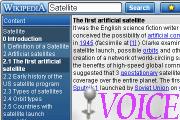
Wikipedia - free online encyclopedia - now can speak!
When information is found, widget reads it all. When you select the chapter, widget reads this chapter. Different voices are supported (e.g. male, female, child female, old male).
To stop reading press Esc. To turn off voice, set "Voice family" setting to "None".
Widget uses XHTML+Voice. You need to be using Opera 9+ on Windows 2000 or XP with the voice add-on installed. To learn how to install and use voice, see
Voice Quick Start-up Guide
Screenshots
Comments (4 on the original page, latest shown)
Download
Works with Opera 9 to Opera 12.
About this widget
| Downloads | 8,196 |
|---|---|
| Category | Search tools |
| Version | 1.0 |
| Size | 208KB |
| Last update | August 26, 2006 |
| Devices | desktop |
| Original page | Internet Archive |
Nice. It works well for me. However, 2 questions. 1. How to I get the voice speaking again once it's been stopped? Selecting the text and V or right-click don't do it. The only way seemed to be to reload the page. 2. Where do all the extra voices come from? They're not available in Opera.
To arnie2: 1. Click on the needed content entry. 2. No such information.
I can't get any reading...does it work on macs?
great widget and very useful!