
Add-ons › Widgets › Time and Date

World Clocks
Description
Displays one or more clocks which you can set to different timezones.
Features:
- Each clock can have a defined GMT hour and minute offset
- 24 hour or 12 hour formatting
- Display or don't display seconds
- Shows date per clock (can be hidden)
- You can set a DST/Summer time per clock
- Option to display leading zero for hours as well
- Automatic new version checking!
- You can access the config page by doubleclicking on any clock
- You can change how many clocks you want "per row" and the widget height
- A nice tabbed config view!
- Alerts! Choose the clock you want, set the time and a message and the widget will start playing a sound at that time!
- Choose clock GMT offset from a location list
New in 1.7:
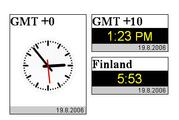
- Analog clocks!
Tip:
want more precise control over where the clocks are? Run multiple copies of the widget. This way you can position them anywhere you want.
Note: if the config page doesn't open or the tabs don't work when clicking, try doubleclicking. There seems to be some kind of a performance issue with the analog rendering, but it doesn't seem to affect anything else.
Screenshots
Comments (20 on the original page, latest shown)
Download
Works with Opera 9 to Opera 12.
About this widget
| Downloads | 53,884 |
|---|---|
| Category | Time and Date |
| Version | 1.7 |
| Size | 7KB |
| Last update | July 17, 2006 |
| Devices | desktop |
| Original page | Internet Archive |
In case you are experiencing the problem mentioned in the "note:" part, look here: http://my.opera.com/community/forums/topic.dml?id=153893&t=1155965062&page=1#comment1701390 It would seem the widgets size is causing trouble and it can't be avoided (?) for now at least.
Everytime i install a newer version, i have to re-enter all my settings. What the heck? How do i import my settings to the newer version? Is it possible to disable the "update" message?
Settings have to be reconfigured every time. It's a limitation in the current implementation of widgets in Opera. The update message shouldn't show up in the new version. If it keeps showing, see if you can access http://admins.fi/~eagleeye/clockversion.txt which is the address that it uses to check for version updates.
Downloaded the latest version and the AM/PM issue is fixed. The time/date is correct as well, but I fear at 8PM the date will revert to yesterday's date once again...don't understand the problem as the other comparable Opera widgets (e.g., "Digital Clock Widget") do not exhibit this bug.
That's probably because those widgets always use your local time, which is stored in the JavaScript Date-object. This widget takes the UTC(GMT+0) time and calculates the timezone you want from that.
Since we have to reconfigure every time there's a new version out, what if we dicided to keep the version but want to get rid of the annoying update link? Thanks.
Like clockwork (pardon the pun). 8PM rolls around and the date in this widget changes to yesterday's date.
crashy: ah yes. That... no, not possible unless you change the sourcecode. Anyway, I could add a field which would contain the settings and you could copy the contents of that single field and paste them into a field the new version and the new one would configure itself from that. Let's see if I can add that in the next version update. mhowie: Gonna look at the code which calculates the time... prolly need to change something there to fix that.
Any progress with identifying the error in the code?
Just passed midnight locally and the date is still off (reporting yesterday) and the time is displayed as 12:03PM (and not the correct AM)...
I'm busy with an another project atm so I don't have time to work on this one.. I'll get back to this when I can.
I'm having the same problems as mhowie. This is pretty bad. This widget could be so powerful, but with the wrong AM/PM indicator, the date changing at the wrong hour or rolling backwards...and now you're too busy? I'm sorry if I come across as a jerk, but this is essentially an untested alpha release, and you should withdraw it until you can get it working correctly.
I've tried looking for the bug here, but I'm pretty much out of ideas. It's rather difficult to track it. I did have that one "fix" but it just made things worse. If any of you know javascript, feel free to look at the widget code... Most of the time and date related code is in clock.js
I like your widget and use it. It would be cool if EST, CET, UTC would be already in.
Nice widget, and I have used it for some time. There are three modifications I do to it to make it work for me: Limit min-width of the clocks to 120px Center the clock titles Add the weekday ("Mon") before the date Then I add the timezone to the title to have that available too. A future version might also automatically set the daylight savings time based on the timezone selected.
Regarding time zones: is there a way to add the option 'last Sunday'? I am using 5th sunday of the month to make sure, but I am not sure what this does if there are only four Sundays in the month... We'll find out this weekend!
Couldn't get it to show anything but GMT.
I just installed this yesterday, and changed the index.html to center the text and make it smaller (original size seems way too large). I have 4 clocks at the bottom of my screen since I communicate with people in 4 timezones, and have had no issues so far. Unfortunately I don't use AM/PM, the date function, or month end, but in my opinion this is absolutely fantastic!
Displays only half of the widget (GMT). Also, the controls (settings/open/minimize/close) are two inches out. Look forward to improvements. I would really like a good world clock and there aren't many out there.
Analog clock is 12 hours only. Please correct or state in description that 24 hour mode is digital only.