
How to make Opera Mini 5 the default Android browser with Opera Bridge
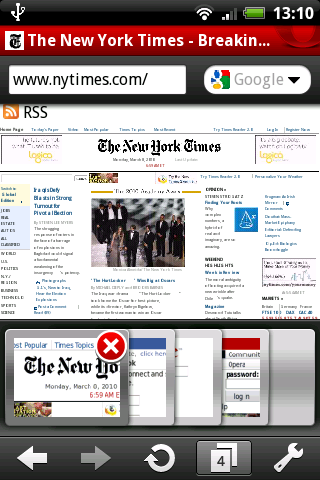
On androinica there's a tutorial how to make Opera Mini the default browser on Android phones. To get it to work, you need to download OperaBridge - an app that will grant Opera Mini 5 the necessary intents to be your device’s first choice for loading links.
Try it out for yourself:
- Download Opera Mini 5
- Download OperaBridge from the Android Market
- Click a web link on the phone and a window should come up saying “Complete action using”
- Select the “Use by default for this action” radio button
- Press OperaBridge
- PROFIT! I mean, SURF!
Readers' comments 18
Left under the original article, as archived.
About this article
| Published in | Choose Opera |
|---|---|
| Date | April 23, 2010 |
| Author | Espen André Øverdahl |
| Tags | android, tips and tricks, opera mini |
| Original | Internet Archive |
NicoFriday, April 23, 2010 7:52:06 AM
"There's an app for that"
Jamie ArringtonFriday, April 23, 2010 9:11:24 AM
Will there be an app to make Opera Mini the default browser on the iphone? please?
Pallab DeFriday, April 23, 2010 9:23:03 AM
Originally posted by chooseopera:
Typo!
Anyway, why doesn't Opera provide this option out of the box?
AnuaR ShFriday, April 23, 2010 9:30:45 AM
TamilFriday, April 23, 2010 10:16:31 AM
Aleksander AasFriday, April 23, 2010 11:20:30 AM
Charles SchlossFriday, April 23, 2010 1:07:20 PM
Vetle RoeimFriday, April 23, 2010 6:52:46 PM
Cutting SpoonFriday, April 23, 2010 8:17:07 PM
jen leighSaturday, April 24, 2010 1:21:13 PM
Bart van de WeijerMonday, April 26, 2010 11:33:19 AM
Bart van de WeijerMonday, April 26, 2010 11:49:56 AM
I have a T-mobile pulse with Android 1.5... Is this a problem for Opera Bridge?
NicoMonday, April 26, 2010 1:09:03 PM
Try "Make Opera Default Browser" instead.
And please tell me, if it works.
Regarding OperaBridge: You need to configure your phone so that you can install APK's which were not downloaded from the Market.
Al GarciaTuesday, April 27, 2010 9:21:12 PM
Roberto MahaveMonday, August 9, 2010 8:13:06 AM
Can anyone provide the APK files?
Cutting SpoonTuesday, August 10, 2010 1:01:06 AM
Maria FischerTuesday, April 12, 2011 9:41:02 PM
Lukas KybartasThursday, November 10, 2011 7:28:35 PM
Originally posted by billocl:
Try default browser selector or something like that. Worked for me.