
Opera Tips & Tricks: Remove text from the O Menu
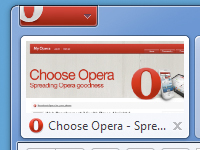
Many Opera users want the old "O menu" back without the text ("Menu") at the end. It's one of the most popular request both on Twitter and Facebook.
So if you want to remove the "Menu" text, follow these simple steps:
- Right-Click the O Menu.
- Go Customize > Appearance.
- On the Toolbars tab change Style to Images only.
- Click OK.
- Profit.
Readers' comments 50
Left under the original article, as archived; 1 page of comments could not be recovered.
About this article
| Published in | Choose Opera |
|---|---|
| Date | July 6, 2010 |
| Author | Aleksander Aas |
| Tags | opera menu, Opera Tips |
| Original | Internet Archive |
TamilTuesday, July 6, 2010 12:19:30 PM
walterTuesday, July 6, 2010 12:23:59 PM
Tandder LimaTuesday, July 6, 2010 12:25:14 PM
Al GarciaTuesday, July 6, 2010 12:26:11 PM
agselTuesday, July 6, 2010 12:28:56 PM
HyaeneLeipzigTuesday, July 6, 2010 12:29:36 PM
Samuel PetatTuesday, July 6, 2010 12:30:14 PM
RustamTuesday, July 6, 2010 12:30:44 PM
HokkutTuesday, July 6, 2010 12:32:23 PM
MeteTuesday, July 6, 2010 12:33:28 PM
JaredTuesday, July 6, 2010 12:35:28 PM
Martin RaiferTuesday, July 6, 2010 12:38:33 PM
Roman DyadichenkoTuesday, July 6, 2010 12:44:01 PM
Originally posted by rupunk:
http://my.opera.com/russian/blog/2010/07/06/opera-10-60
JonathanTuesday, July 6, 2010 12:46:03 PM
Fernando MercêsTuesday, July 6, 2010 12:48:21 PM
Leonardo C.Tuesday, July 6, 2010 12:55:17 PM
Thanks.
clinisTuesday, July 6, 2010 12:58:11 PM
Yesterday I've serached how to do that and I've found nothing; today this appears...
JuxTuesday, July 6, 2010 12:59:26 PM
HoricӑTuesday, July 6, 2010 1:04:32 PM
Artur „Jurgi” JurgawkaTuesday, July 6, 2010 1:04:53 PM
SondeckisTuesday, July 6, 2010 1:19:21 PM
Arun KumarTuesday, July 6, 2010 1:21:07 PM
Ricardo FerreiraTuesday, July 6, 2010 1:26:41 PM
Thanks
Jakub MartonTuesday, July 6, 2010 1:32:47 PM
wkonckiTuesday, July 6, 2010 1:36:09 PM
Eric BladeTuesday, July 6, 2010 1:36:22 PM
I'd also like it if I could move it to the titlebar, but it seems to be permanently attached to the Tab bar.
Charles SchlossTuesday, July 6, 2010 1:37:47 PM
HermesTuesday, July 6, 2010 1:40:49 PM
John HatzopoulosTuesday, July 6, 2010 1:42:01 PM
SAUL LLANESTuesday, July 6, 2010 1:42:33 PM
Blaz(ž) PristavTuesday, July 6, 2010 1:49:31 PM
Pramod GhugeTuesday, July 6, 2010 1:50:34 PM
Kalojan TodorovTuesday, July 6, 2010 2:06:41 PM
redpokTuesday, July 6, 2010 2:09:38 PM
Now make it possible to hide the title bar too when visual tabs is set to left/right...PLEASE!
Dawid PająkTuesday, July 6, 2010 2:14:58 PM
And yes, it would be nice if we were able to hide titlebar. Do something so Gnome users could move tabs to titlebar like it is on Windows XP with Luna.
Andrew NguyenTuesday, July 6, 2010 2:37:21 PM
81403skTuesday, July 6, 2010 2:46:08 PM
Paulo ArruzzoTuesday, July 6, 2010 2:59:38 PM
YndiTuesday, July 6, 2010 3:25:58 PM
Originally posted by hokkut:
This is the much better solution and the way I prefer it, because the button also gets smaller.
Ravindran NavaneethanTuesday, July 6, 2010 4:51:21 PM
PozsonyiMarkTuesday, July 6, 2010 5:13:09 PM
Horlicks00Tuesday, July 6, 2010 5:33:33 PM
Marek NowickiTuesday, July 6, 2010 5:59:34 PM
Select "Bing", then "Edit", next "Details..." and deselect "make as speed dial search engine".
Horlicks00Tuesday, July 6, 2010 6:01:58 PM
Victor ITuesday, July 6, 2010 6:26:31 PM
DaringineerTuesday, July 6, 2010 7:45:53 PM
2. Go Customize > Appearance.
3. On the Toolbars tab change Style to Images only.
4. Click OK.
5. ????
6. Profit.
Fixed the steps to getting rid of the "Menu" text on the O Menu
d4rkn1ghtTuesday, July 6, 2010 8:04:43 PM
techlawsamTuesday, July 6, 2010 9:38:40 PM
DrillSargeTuesday, July 6, 2010 10:20:17 PM
http://666kb.com/i/bkpcbm4oaj2sd5ru7.png -
PhoenixP3KTuesday, July 6, 2010 10:27:44 PM
Originally posted by hokkut:
So I could change "Menu" to "pera".
Let me try that.