
Promote Opera on Facebook
My Opera user Vasu has made a tutorial on how to you can promote Opera using the affiliate program on Facebook:

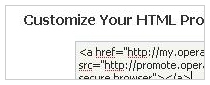
Step 2
Add the code you want to have inside the box. You can either use our premade buttons or create your own HTML!
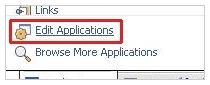
Step 3
Now for the tricky part. To add it to your profile you need to go to "Edit Applications"
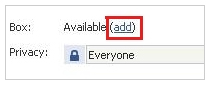
Step 4
Find the HTML profile Box application and click "Edit Settings". Now click "add" in the popup box!
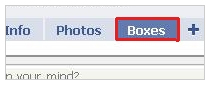
Step 5
Go to Boxes, then click "Edit Box" and select the "Move to Wall" tab!
Remember to join us on Facebook too!
Readers' comments 20
Left under the original article, as archived.
About this article
| Published in | Choose Opera |
|---|---|
| Date | October 28, 2009 |
| Author | Aleksander Aas |
| Tags | facebook, affiliate program, promote |
| Original | Internet Archive |
thobiWednesday, October 28, 2009 10:56:55 AM
mistressEVILWednesday, October 28, 2009 10:59:11 AM
I'm using My Stuff app for that cause.
Sorawit SiangjaeoWednesday, October 28, 2009 11:00:01 AM
Dark FurieWednesday, October 28, 2009 11:18:26 AM
Viva la revolution!
AngelikiWednesday, October 28, 2009 11:46:43 AM
I will promote Opera no mater what,
but Facebook will not be the place...
by the way Opera 10.01 rocks!!
thobiWednesday, October 28, 2009 11:54:01 AM
Originally posted by ellinidata:
10.01 or 10.10?
edit: oh, just realized there is a 10.01. thought it's a typo. sorry
AngelikiWednesday, October 28, 2009 12:01:44 PM
Charles SchlossWednesday, October 28, 2009 12:39:59 PM
Smart amadiWednesday, October 28, 2009 2:03:21 PM
Yeni SetiawanWednesday, October 28, 2009 3:23:51 PM
http://facebook.com/sandalian
IKokeWednesday, October 28, 2009 9:35:44 PM
OlgaFriday, October 30, 2009 12:42:23 PM
ErikSaturday, October 31, 2009 12:30:13 AM
AkhzawaSaturday, October 31, 2009 6:51:26 AM
thanks for tutorial.
angelicaSunday, November 1, 2009 2:52:57 AM
Charles SchlossSunday, November 1, 2009 2:57:49 AM
Originally posted by gelkie:
Opera mini current version is 4.2 and Opera mini 5 is a beta. Opera 10.01 is the stable version for the desktop computer
angelicaSunday, November 1, 2009 3:06:44 AM
HadiSunday, November 1, 2009 12:16:19 PM
BabyliMonday, November 2, 2009 1:10:19 PM
AnthonySaturday, November 7, 2009 11:51:53 PM