
Save money on data charges when roaming in South Africa
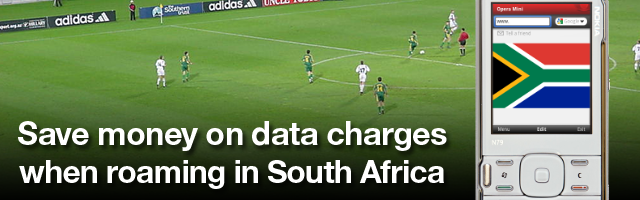
Are you visiting South Africa to experience the World Cup? It is sure to be an exciting experience -- hundreds of thousands of people will travel from all corners of the Earth to participate in the most-watched sporting event in in the world.
When leaving your home country don't forget about your mobile phone and the high cost of roaming in South Africa! Opera has the solution to control your costs and keep your downloads quick.
When traveling in a foreign country, you will want to have an easy and straightforward way to keep in touch with others or call for help. You also want to be able to look up helpful information, schedules, and information while you are out. And you can do this with Opera Mini -- so your mobile phone can be your lifeline!
It is important to determine and know the cost of using your mobile phone while your are roaming in South Africa. International roaming charges can add up at a dizzying pace, costing more than 10 times what it would normally cost to use your phone at home. Your mobile service provider should be able to tell you what the roaming costs are on their website.
Some examples of roaming data charges from popular European carriers:
| Operator | Rate |
|---|---|
| Vodaphone UK: | £3.00 per Megabyte |
| Telefónica / Movistar Spain: | 10.00 € per Megabyte |
| Orange France: | 13.31 € per Megabyte |
Also note that when roaming in South Africa, you will typically only have EDGE (2G) service. Furthermore, with the thousands of visitors in South African cities like Johannesburg, Cape Town and Pretoria, data connections will probably be congested and work quite a bit more slowly than you are accustomed to.
With the high costs of roaming, and the potential slow speeds on the sure-to-be-crowded south African networks, how can you keep costs down, and also have a quick, responsive browsing experience?
The answer is Opera Mini and Opera Turbo.
Opera Mini is a small and feature-rich Web browser that runs on almost any mobile phone. It is designed to offer an efficient and easy browsing experience on any device, whether it has a touchscreen or just a keypad. But what really makes Opera Mini shine when roaming is that it works with server-side compression technology that reduces your data use to just one-tenth of what it would normally be. Pages also load lightning-quick, because the heavy lifting is done on Opera's powerful servers.

Using Opera on your laptop can also be a lifesaver in much the same way. Opera for Mac, Windows, and Linux have a feature called Opera Turbo that uses compression technology to compress webpages by up to 80%. This is sure to prevent a lot of frustration when connecting to crowded wireless connections in the football mania that will be taking place in South Africa!
Before you leave home, You will definitely want to make sure that your bags are packed, Opera Mini is installed on your phone, and Opera Turbo is enabled on your laptop. Opera's browsers afford great peace of mind that you can browse quickly from almost anywhere, and without racking up excessive data charges. And our browsers are completely free.
To install Opera Mini just visit m.opera.com from your phone.
To download Opera for your computer, visit opera.com.
World Cup Speed Dial Backgrounds
Get in the World Cup spirit and enter our World Cup Speed Dial background competition where you can win cool prizes, like an Opera-powered HTC Legend smartphone!
Readers' comments 4
Left under the original article, as archived.
About this article
| Published in | Choose Opera |
|---|---|
| Date | June 4, 2010 |
| Author | Joseph D. Lien |
| Tags | roaming, opera mini, data, soccer, South Africa, mobile phone, World Cup, football |
| Original | Internet Archive |
TamilFriday, June 4, 2010 11:57:21 AM
Charles SchlossFriday, June 4, 2010 1:35:53 PM
ThaboFriday, June 4, 2010 4:41:31 PM
selurusSaturday, June 5, 2010 6:31:15 PM