
Graceful User Agent Sniffing
A common sad story in the world of user agent sniffing. This time it is with Alto, a mail service from AOL. Note that it is a widespread issue, not specific to AOL and altomail, which could easily be avoided. This post is not about altomail specifically.
User-Agent sniffing is a very high maintenance task
This should be on top of the screen of every project manager and web developer in their companies. There are many ways to get it wrong. And even if you get it right now, there is no guarantee that it won't be wrong in the future.
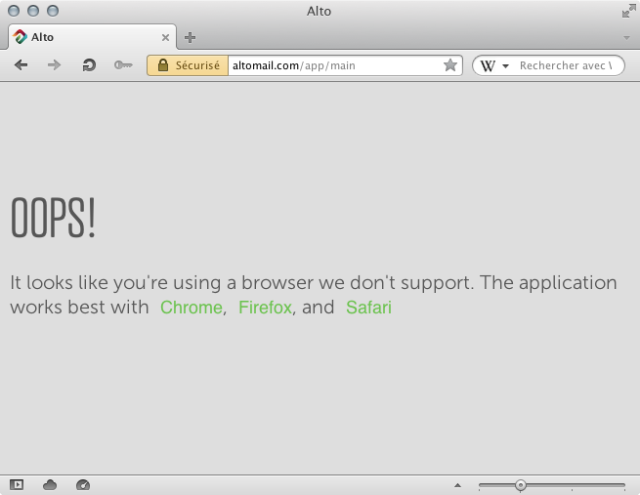
What happened in the case of Alto? Trying to access this Web site, you get a classic message such as:
OOPS!
It looks like you're using a browser we don't support. The application works best with Chrome, Firefox, and Safari
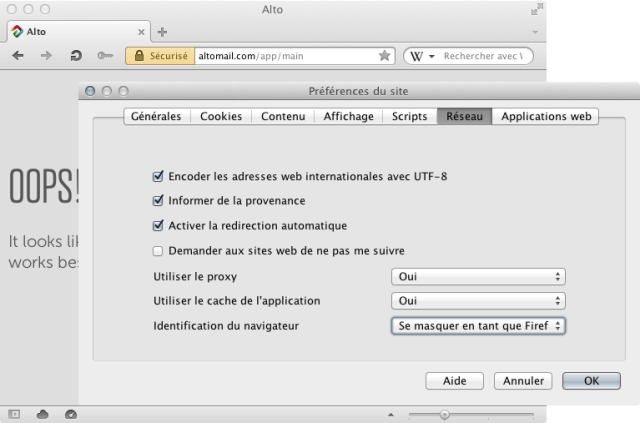
Skilled Opera users will eventually go to their configuration settings and lie about the User-Agent string. For example, here we decided to set the User-Agent to be Firefox for this specific domain name.
Note that at this stage, one of the consequences for Opera Software is that the browser is not visible anymore in the Web site's statistics. The browser market shares are then not representative of the reality. To fix the problem at the source, we are currently trying to contact Alto to solve the issue.
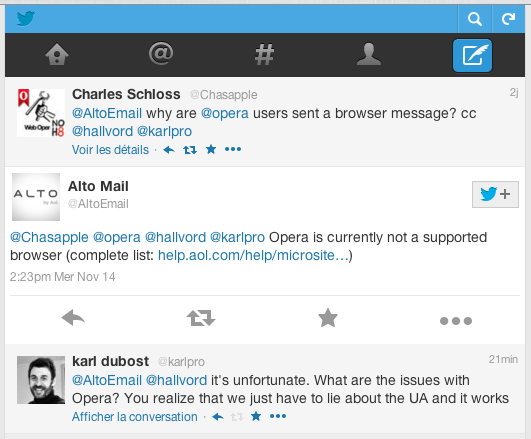
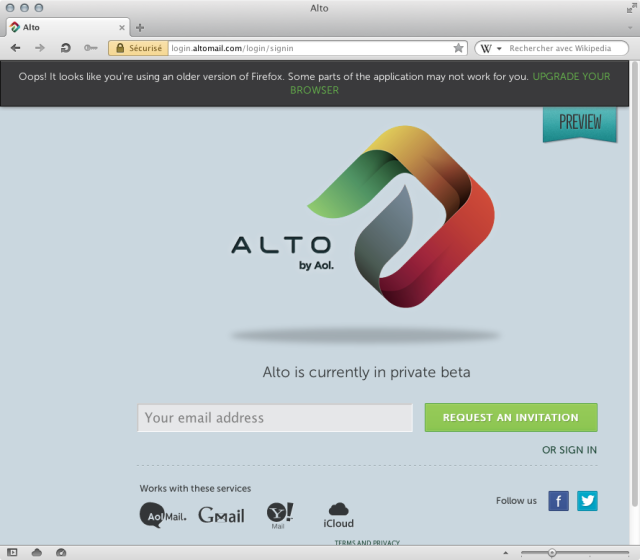
Eventually, if it doesn't work, we will turn to Opera's browserJS, a central patch list which will modify the User-Agent strings for this domain for all users automatically. Even if we disappear from the statistics of this web site, it is still better for the users. So once the dance of lies takes place, we can access the Web site.
Is there a better way?
- Avoid User-Agent Sniffing. It is hard to get it right. Really.
- If you need to use specific technologies, use feature detection first.
- If the only resort is to do User-Agent sniffing, check all the browsers you are sure about and then always offer a fallback.
Note that blocking access to a site purely based on a User-Agent string is often a future fail scenario. Browsers evolve and you do not know in advance what set of features (removed or added) they will have. User-Agent sniffing is a very high maintenance task. We understand that not all companies can afford to thoroughly test their sites in all browsers, but just because they didn't test shouldn't be a reason to completely deprive users of those browsers that didn't make the list from accessing any of the content. Sure, cover your back, and state upfront that this particular browser wasn't tested (and not that it's an old/outdated browser, or that your site absolutely requires browser X), but let the the user decide if they still want to try and proceed.
Readers' comments 18
Left under the original article, as archived.
About this article
| Published in | ODIN blog |
|---|---|
| Date | December 5, 2012 |
| Author | Karl Dubost |
| Tags | user-agent sniffing, howto |
| Original | Internet Archive |
Mağruf ÇolakoğluWednesday, December 5, 2012 1:10:00 PM
NimeshWednesday, December 5, 2012 1:15:35 PM
exgenWednesday, December 5, 2012 2:18:19 PM
Hrrr!!!
dahulevogyreWednesday, December 5, 2012 2:51:23 PM
How about removing User-Agent, Device-Stock-UA, and the like from the requests ?
Don't give us the stick that will hurt you.
spillerrecWednesday, December 5, 2012 8:20:22 PM
Originally posted by exgen:
This is one of the reasons I would like that you could add your own custom user-agent strings. Opera uses Firefox 4.0, however this site checks if the version of Firefox is at least 6.0... Well, at least having Chrome's user-agent string would be a step forward...JamesWednesday, December 5, 2012 8:37:16 PM
Originally posted by spillerrec:
I didn't know that. I assumed that Opera had kept the alternative UA strings up-to-date.
Karl DubostWednesday, December 5, 2012 11:26:42 PM
Originally posted by dahulevogyre:
I have been doing that for an experiment for the last few weeks. It doesn't solve everything. Because Web sites have no fallback for unknown browsers, you still get ignored or blocked. Or worse you get an non functional web sites at all.
Karl DubostWednesday, December 5, 2012 11:28:14 PM
Originally posted by spillerrec:
You meant per site? Globally you can modify it, but indeed per site it would be good to be able to set your own.
Yeni SetiawanThursday, December 6, 2012 1:35:11 AM
Karl DubostThursday, December 6, 2012 2:04:44 AM
Originally posted by sandalian:
note that this post is not specifically related to AltoMail but just as an example of a pattern we can see online.
PierreThursday, December 6, 2012 8:22:26 AM
Originally posted by spillerrec:
You can use opera:config#UserPrefs|CustomUser-Agent to spoof any other User-Agent, but it's a global configuration (not site specific)
dahulevogyreThursday, December 6, 2012 9:07:36 AM
Originally posted by karlcow:
Well remove UA string by default, and put the exceptions in browser.js ?
And coordinate with the other vendors. I'm sure some at Mozilla are willing to do this too.
Maybe it's too late for UA string, and it'd be a shame.
But why are you introducing new ways of hurting the web (Device-Stock-UA) ?
PengeFriday, December 7, 2012 2:47:50 PM
Originally posted by karlcow:
Then why (did) you use UA-based version sniffing on the addons.opera.com for the future versions of Opera? For example when the Desktop Team released a newer snapshot, there was problem with downloading extensions and listing compatible extensions.
JimSunday, December 9, 2012 2:55:03 AM
Originally posted by ra-mon:
This should be a site by site setting. And should have updated presets including Chrome. Also try complaining here http://altomail.uservoice.com/Michael A. Puls IISunday, December 9, 2012 6:04:41 AM
Originally posted by toyotabedzrock:
Indeed. The feature should have been introduced from the start that way as it is (and was) obvious that's what's desired.Originally posted by toyotabedzrock:
Definitely.Karl DubostMonday, December 10, 2012 6:44:49 AM
DillonFriday, December 21, 2012 6:05:16 PM
Originally posted by Penge4:
"Do as I say, not as I do"
Karl DubostSaturday, December 22, 2012 1:01:14 AM