
Opera Mobile Emulator 12 update
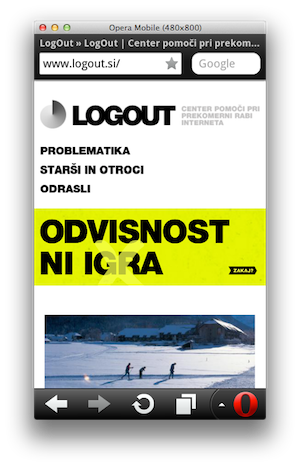
A few weeks after our Opera Mobile 12 release for Android and Symbian, we're happy to announce that there now also is a corresponding update of the Opera Mobile Emulator!
If you haven't used it yet, the Opera Mobile Emulator is a version of Opera Mobile that runs on your Windows, Mac or Linux machine, and this without having to install any complex SDKs or the like. Upon launch, you'll get a handy Profile panel with various size, pixel density, orientation and UI options, from which you can spawn different Opera Mobile instances for developing or testing your site — or for simply browsing the web! Using Opera Dragonfly's remote debugging capabilities, you can also inspect the inner workings of your site on mobile, and finetune your CSS and JavaScript.
So, what's new?
- As this release goes hand in hand with Opera Mobile 12, we have upgraded the Presto rendering engine to Presto/2.10.254.
- We've added a
-displayzoomargument, which you can use to display the full browser window at a percentage of its original size. This is useful when the Opera Mobile instance you spawn has a larger height than the height of your computer and you want to make it fit: e.g. the HTC Desire profile triggers Opera Mobile to have a size of 480×800px, but my MacBook Pro's dock and menu bar reduces this to be 480×702px, distorting the profile's proportions. By using-displayzoom 80, the browser is rendered at 384×640px (preserving the aspect ratio), but the browser still behaves as if it was 480×800px. - You can now use again pinch gestures on your Mac trackpad to zoom in and out.
- Support for a number of common desktop shortcuts: tab and shift+tab to navigate between form elements, backspace to go to the previous page, ctrl/cmd+a to select all text in an input field, etc.
- Updated profiles in the launcher.
- Various bug fixes.
Note: <video>, <audio> and getUserMedia are currently not supported in the emulator. We're still looking into how to improve this, but keep these limitations in mind.
So, that's it! Try out the latest Opera Mobile Emulator build, integrate it in your mobile first workflow, and be sure to tell your web developer colleagues about it as well!
As always, we welcome all feedback. Leave a comment on this post, or reach out to us on Twitter.
Readers' comments 12
Left under the original article, as archived.
About this article
| Published in | ODIN blog |
|---|---|
| Date | March 22, 2012 |
| Author | Andreas Bovens |
| Tags | mobile first, Opera Mobile Emulator, Opera Mobile, emulator, debugging, mobile |
| Original | Internet Archive |
Erik HauboldFriday, March 23, 2012 10:05:34 AM
thanks guys
Mağruf ÇolakoğluFriday, March 23, 2012 12:16:24 PM
Tahir DincFriday, March 23, 2012 2:44:58 PM
hasan salihoğluFriday, March 23, 2012 7:03:58 PM
OkraSaturday, March 24, 2012 11:54:51 PM
See also http://www.opera.com/developer/tools/mini/
Witold BarylukTuesday, March 27, 2012 4:13:02 PM
EDIT: Oh. Sorry, just read it at the end of post. Waiting for video/audio update! Greate tool anyway, thanks for Linux version!
Witold BarylukTuesday, March 27, 2012 4:15:53 PM
Darren ScottSunday, April 1, 2012 5:05:31 PM
Vlad PaulTuesday, April 10, 2012 1:00:07 PM
David SpiegelbergTuesday, April 24, 2012 12:57:42 AM
On a WordPress website using the default WordPress theme (no mods) and the NextGEN gallery plugin, when I click on the << (prev) or >> (next) image button beneath an image enlargement, instead of seeing the next or previous image, the current image zooms WAY in - then, if I click << or >> again, I see the next/prev image, but still zoomed WAY in. I've tried using a different gallery plugin (Cleaner Gallery, which relies heavily on the default WordPress [gallery] feature) - same result - it zooms WAY in.
I've had a client test this on her iPhone - no problems with zoom - so I'm thinking it might be something with the Emulator.
By the way, are there any plans to get iPhone support (I don't see it in the scrollable list)?
Thanks.
Darren ScottSaturday, May 5, 2012 10:11:52 AM
NevilleTexasThursday, May 17, 2012 1:59:22 AM
Additionally, I can't get the emulator on mobilephoneemulator[dot]com to display when I create a custom profile for BB curve 8900. Here is the relevant info:
Curve 8900 Specs are:
Display: Type TFT, 65K colors
Size: 480 x 360 pixels, 2.4 inches (~250 ppi pixel density)
----------------------
Translated into constraints of Online Opera Mini Simulator:
Resolution: half-VGA 480x360
Pixel Density: 250 ppi
Arguments: ***have no idea what to enter here
-------------------
BTW, after trying every mobile browser I could load on my BB Curve 8900, the last one I loaded was Opera Mini 6.5. It was the ONLY browser that worked properly on this RIM model. There were just a few small quirks in functionality.
Seeking directions, recommendations, alternatives for testing website readiness on older RIM phone models.
-Neville