
Opera 12 Alpha with Hardware Acceleration

As announced at Up North Web we are happy to present the Opera 12 Alpha. The main feature we need help testing is Hardware Acceleration. We also re-introduce skins in the form of themes, give the address field some needed attention, and update to the new HTML5 engine!
Hardware Accelerated
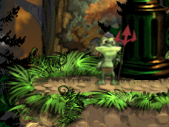
Opera just got even faster by hitching a ride with your graphics card for more processing power. This is what's known as hardware acceleration. This will this improve your everyday browsing, with OpenGL you can also enjoy the web in 3D like never before.
To check if your Opera 12 alpha install has hardware acceleration, type "opera:gpu" in the address field. If the answer is yes, check out Emberwind or WebGL demos such as Formula 1.
Themes
We love to style and personalize our browser, with Opera themes this is even easier! We've created some pretty cool themes to show you how it works, but you can also make your own themes using any image you like.
To get your hands on these new themes check out addons.opera.com/themes and get them now! Don't worry though, we still have the skin support if you want to go all out when customizing Opera.

Download
Remember that this is a Alpha build. Some bugs are expected, but we need your help to test it. Simply download it trough Opera Next. If you find any issues please use our forums or the Bug Report Wizard to help us out! Feel free to share your initial impressions in the comments!
Readers' comments 49
Left under the original article, as archived.
About this article
| Published in | Choose Opera |
|---|---|
| Date | October 13, 2011 |
| Author | Aleksander Aas |
| Tags | download, Opera 12, release, alpha |
| Original | Internet Archive |
InggoThursday, October 13, 2011 7:17:55 AM
Roberto AbellaThursday, October 13, 2011 7:22:49 AM
ManuThursday, October 13, 2011 7:29:55 AM
Докучаев КонстантинThursday, October 13, 2011 7:30:41 AM
and context menu is blinking
ssainThursday, October 13, 2011 7:37:06 AM
dizThursday, October 13, 2011 7:42:52 AM
Well I didn't.. but it's good news! I'm testing now!
Докучаев КонстантинThursday, October 13, 2011 7:42:55 AM
theyoungchemist17Thursday, October 13, 2011 7:45:08 AM
Докучаев КонстантинThursday, October 13, 2011 7:47:14 AM
Originally posted by Foffa:
without hardware acceleration everything is finepantera9Thursday, October 13, 2011 7:49:57 AM
Paweł PawlakThursday, October 13, 2011 7:55:55 AM
"Vega backend
Software"
What does it mean?
Tiago WakabayashiThursday, October 13, 2011 8:25:14 AM
Áron VirginásThursday, October 13, 2011 8:51:15 AM
Roger ARBOGASTThursday, October 13, 2011 9:05:32 AM
I feel it's been already eating too much of it, I hope you have optimized it, or I will be forced to buy 1GB dedicated to Opera.
DanielThursday, October 13, 2011 9:07:47 AM
Эльдар ОсмановThursday, October 13, 2011 10:41:48 AM
Raul Alfredo Chan RamosThursday, October 13, 2011 12:02:55 PM
RakeshThursday, October 13, 2011 12:03:24 PM
1. Switch to new theme, icons for close, maximise and minimise change contours to 2D rather than 3D default of Windows 7
2. Border for the entire window disappears and it appears as a floating frame when restored to a non-maximised size.
3. Win 7 feature of drag to top to maximise does not work
Do note that this is only with the installation of "any" of the new "themes" and not skins.
Also, the first screenshot of Эльдар Османов, (http://smotr.im/zK3) is faced even in the final version of Opera 11.51, of fast scrolling when page may not have completely loaded
No other problems yet
P.J. FrayneThursday, October 13, 2011 12:04:48 PM
Also, I would love an extension that can serve as an in-line dictionary.
PhriendThursday, October 13, 2011 12:54:39 PM
OpenGL
Blocklist version - 1
Blocklist status for 2D - Supported
Blocklist status for 3D - Supported
This is what I see. I take it that hardware acceleration works for me now that I have updated my driver, correct?
marwane zharThursday, October 13, 2011 1:32:38 PM
Maciej BałutaThursday, October 13, 2011 1:56:20 PM
Ricardo M. RubertThursday, October 13, 2011 1:58:37 PM
Andrei Daniel TicleanThursday, October 13, 2011 2:10:49 PM
Originally posted by RMRubert:
techlawsamThursday, October 13, 2011 2:41:42 PM
Stoyan PomakovThursday, October 13, 2011 3:09:56 PM
SolidSnakeThursday, October 13, 2011 4:16:09 PM
TyranisaurThursday, October 13, 2011 5:08:33 PM
joa17DeThursday, October 13, 2011 5:26:25 PM
Now I use my oldest computer with Windows XP. He have only 1GB RAM.
I downgrade to previous version this browser and it again good working...
Charles SchlossThursday, October 13, 2011 7:08:16 PM
Will continue to test while using 11.51 as the stable and main use
KhazekThursday, October 13, 2011 9:38:28 PM
ObjectDock+ doesnt appear either.
I believe it's connected with the issue listed here before.
"2. Border for the entire window disappears and it appears as a floating frame when restored to a non-maximised size.".
Anyway: themes are GREAT!
Diogo CostaThursday, October 13, 2011 11:09:23 PM
The WebGL demos run perfectly in my AMD Radeon 5000 + Ubuntu 11.04 toshiba laptop!
Some things I noticed:
- The interface flickers at start (no biggie)
- Flash objects sometimes disappear, partially or totally.
Keep up the good work!
Best regards,
Diogo
Robert BaileyFriday, October 14, 2011 2:14:52 AM
Originally posted by Buluck:
Do the same as putting them Hawi'in style; but an aerial-photo, of trees in a line and the shadows waving. Neat Trick.ciao
Oscar SogansFriday, October 14, 2011 3:38:03 AM
Obese MauriceFriday, October 14, 2011 10:26:23 AM
GeorgeFriday, October 14, 2011 12:11:41 PM
Diogo CostaFriday, October 14, 2011 1:24:24 PM
TyranisaurFriday, October 14, 2011 6:01:46 PM
Originally posted by Tyranisaur:
Actually, I tried to install it again now, and it works great. A little faster than 11.51.
ENMLV07Friday, October 14, 2011 7:47:55 PM
Cutting SpoonSaturday, October 15, 2011 8:43:58 AM
Something wrong with fullscreen but I expect that is a known issue.
jeison cardoso barbosaSunday, October 16, 2011 4:42:26 AM
Matthew LaBrakeSunday, October 16, 2011 12:04:36 PM
Updated drivers, still says this.
Opera, Y U No Help?!?!?!
Obese MauriceSunday, October 16, 2011 3:50:49 PM
Are there any "test sites" where can I try this feature?
PhriendMonday, October 17, 2011 11:13:08 PM
Cutting SpoonTuesday, October 18, 2011 1:35:40 AM
Thereby, it is possible that you may hope to soon play games - in the browser - that are multicore-enabled. But do not hold your breath, Opera hasn't officially played with multiprocess browsing since BeOS.
JulianThursday, October 20, 2011 5:28:37 AM
I can't for the stable release of Opera 12
Charles SchlossThursday, October 20, 2011 4:42:47 PM
E AFriday, October 21, 2011 6:18:07 PM
http://files.myopera.com/Aleksander/work/201110-screenshot-mac-cookie.jpg
Charles SchlossSaturday, October 22, 2011 2:24:11 AM
Originally posted by xsouldeath:
It is a speeddial extension